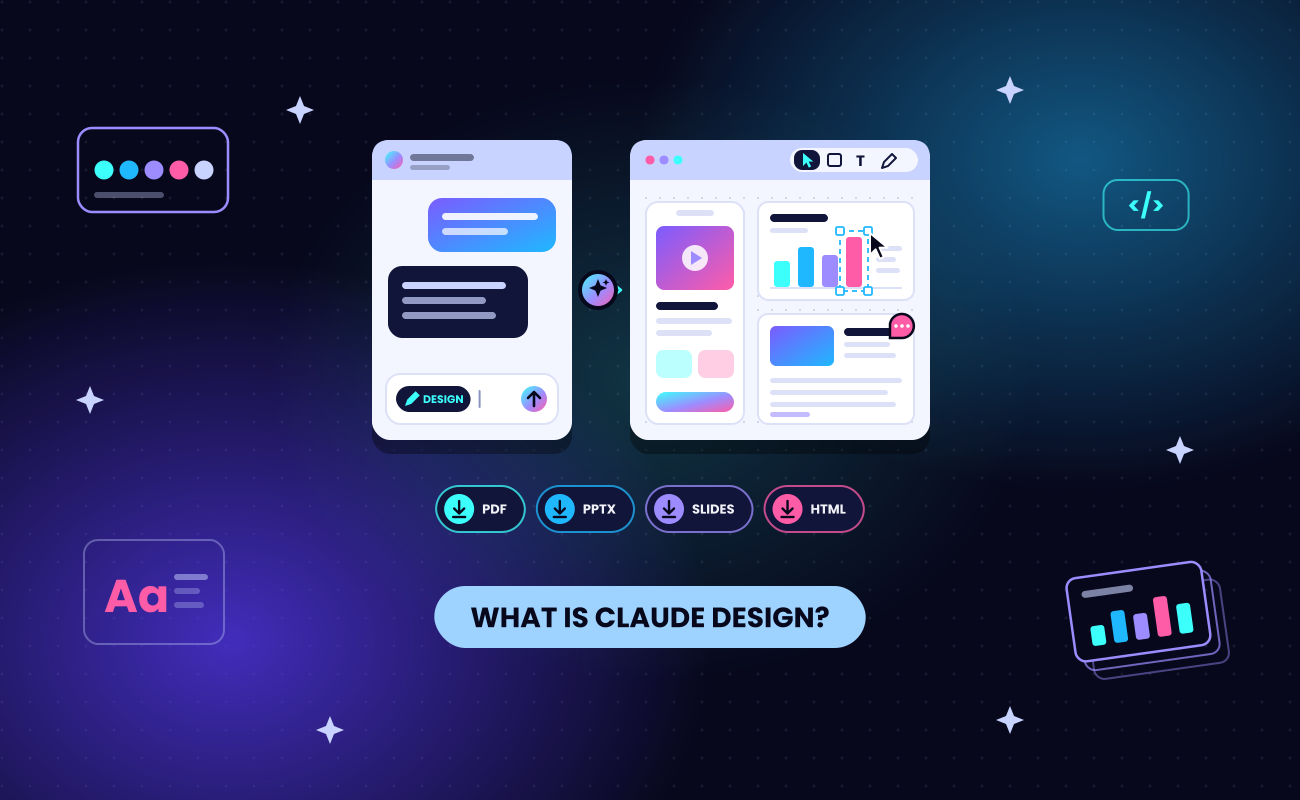
Claude Design is Anthropic's AI design tool inside Claude: you describe a prototype, slide deck, one-pager or marketing visual in a chat, and Claude builds it on a canvas, the work area beside the chat where you edit each element directly. Since September 16, 2026, Claude Design has been included on every Claude plan, including Free.
As of November 2026:
- Claude Design runs inside any Claude chat as an artifact, which is a piece of work Claude makes beside your chat, such as a design, deck or doc, that you can edit, share and export.
- The standalone site at claude.ai/design closes on December 14, 2026.
- Anthropic Labs launched the tool on April 17, 2026, as a research preview for paid plans, and that launch is why older guides still call it paid-only.
Founders, product managers and marketers use Claude Design to get a credible first visual without any design training.
Key takeaways
- Claude Design is an AI design tool from Anthropic that turns a prompt typed in a Claude chat into prototypes, slide decks, one-pagers and marketing visuals.
- Claude Design has been included on every Claude plan, including Free, since September 16, 2026, while design systems need Pro or higher.
- Claude Design opens inside any Claude chat, and the standalone claude.ai/design site closes on December 14, 2026.
- Designs export as a .zip, PDF, PPTX, Google Slides deck or standalone HTML file, go to 15 send-to tools including Canva, and pass to Claude Code through a built-in handoff.
- Claude Design has no version history, no Figma export and no animation file format, so any motion stays inside the prototype.
- The SVGator MCP server connects to Claude for free on any SVGator plan and exports animated SVG and Lottie files from the Starter plan.
What is Claude Design used for?
Claude Design makes interactive prototypes, wireframes, slide decks, one-pagers and marketing visuals from a description you type in a Claude chat. Anthropic's launch announcement groups its uses into six areas: realistic prototypes, product wireframes and mockups, design explorations, pitch decks and presentations, marketing collateral, and frontier design, described as "code-powered prototypes with voice, video, shaders, 3D and built-in AI."
- Interactive prototypes: a clickable signup flow for a new app. An interactive prototype is a clickable version of an app or site screen that shows how it behaves, without being the finished product.
- Wireframes and mockups: a pricing page layout the team agrees on before anyone writes code.
- Slide decks: a 10-slide pitch deck built from a product brief.
- One-pagers: a launch summary a sales team can send to customers.
- Marketing visuals: a campaign hero image with matching social graphics.
On Pro and higher plans, Claude Design applies a team's design system, meaning its saved colors, fonts, components and layout rules, so new designs come out on-brand, and Claude Code, Anthropic's coding tool, can turn them into working software.
Who uses Claude Design, and for what:
- Marketers and founders: a credible visual without waiting on a designer.
- Product managers: clickable prototypes to test an idea with users.
- Designers: fast first drafts and explorations.
- Developers: the finished design, picked up in Claude Code.
Can Claude Design make animations?
Claude Design can animate elements inside a prototype, but its export menu doesn't list SVG, Lottie, GIF or video (Help Center, October 30, 2026), so it makes animated prototypes, not animation files. Two of the formats missing from that menu:
- Animated SVG: a vector image file with its animation built in that plays in a browser without a video player.
- Lottie: a JSON animation format that apps and websites play with a small player library.
Claude Motion and the SVGator MCP server are Claude's two routes to a file.
What is Claude Motion?
Claude Motion is Anthropic's animation template in Claude: it builds short animations as code, exports them as MP4, and is a beta on Team and Enterprise plans only, per Anthropic's Claude Motion guide as of October 2026.
Anthropic says Claude Motion "doesn't use a video generation model," so it won't produce realistic footage or people. Claude Motion suits explainers, animated charts and product walkthroughs, while vector web animation needs the SVGator route.
How do you make an animated SVG or Lottie file in Claude?
To get an animated SVG or Lottie file from a Claude chat, connect the SVGator MCP server: SVGator builds the animation as an editable project and exports animated SVG, Lottie, GIF or video, with animated SVG and Lottie export starting on SVGator's Starter plan.
MCP (Model Context Protocol), the open standard behind the best MCP servers for designers, lets an AI assistant use another app's tools. SVGator joins Claude as a connector, an app you link to Claude so it can browse, inspect, create, edit and export SVGator projects.
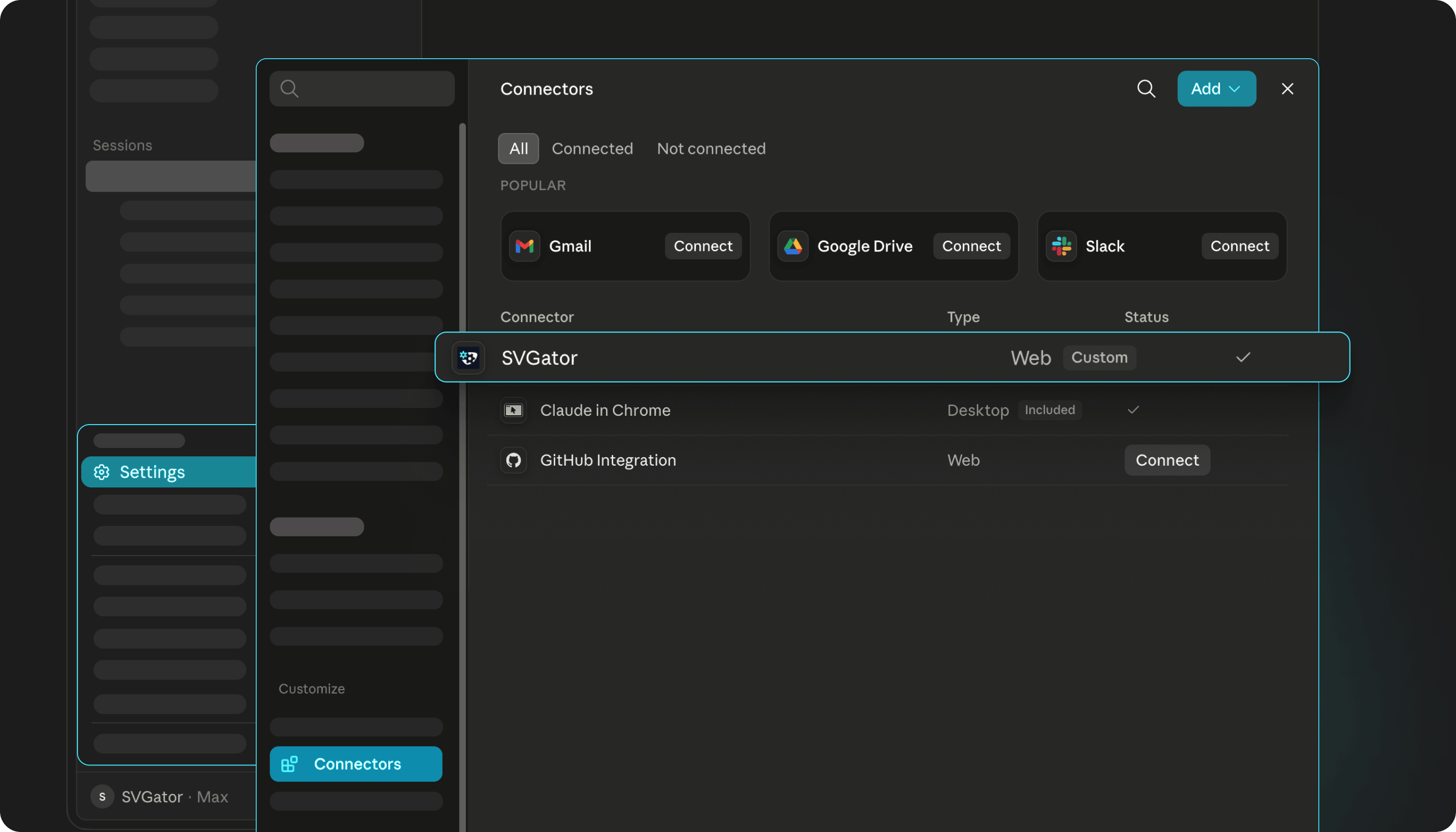
- In Claude, go to Customize > Connectors, click + Add, then Add custom connector, and add SVGator with the URL https://mcp.svgator.com/mcp; then sign in to SVGator and approve access. On Team and Enterprise plans, an owner adds the connector for the organization first.
- Describe the animation in chat.
- Export the file, or open the editor link to refine it on SVGator's timeline.
Animated SVG suits websites as one lightweight, browser-native file, with Lottie second for apps that run a Lottie player. The integration is free on any SVGator plan, and what you can export depends on the plan (SVGator pricing, November 2026):
- Free: static SVG only.
- Starter, $20 a month billed yearly: adds animated SVG and Lottie.
- Pro, $24 a month billed yearly: adds video and GIF.
See how SVGator's MCP turns a Claude prompt into an animation.
What's the difference between Claude and Claude Design?
Claude is Anthropic's AI assistant, and Claude Design is one of its artifact templates: you open Claude Design from a Claude chat to make designs, while Claude Code builds software and Claude Motion, a Team and Enterprise beta, makes MP4 animations.
Anthropic's Help Center calls Claude Design "one of the templates you can start an artifact from," so you start it inside a conversation instead of opening a separate app.
Anthropic's guide to artifacts, updated in November 2026, puts the Docs, Slides and Design templates on all plans. Data needs Pro or higher, Sheets and Whiteboards are betas on Pro and higher, and Motion is a beta on Team and Enterprise.
Claude Design launched in April 2026 on Claude Opus 4.7 as a research preview. On September 16, 2026, it became an artifact template that any Claude chat can open, and it stays in beta on Enterprise plans.
What is the difference between Claude Design and Claude Code?
Claude Design makes designs and clickable prototypes on a canvas, while Claude Code, Anthropic's coding tool, turns a finished design into working software. The two connect in both directions:
- Design to code: a built-in handoff passes the finished design and its files and notes to the next tool. Anthropic's Help Center lists two handoff targets, the local coding agent and Claude Code Web.
- Code to design: the /design command opens Claude Design from inside Claude Code.
Treat Claude Design's output as a prototype. Its screens show how a product should look and behave, and the build that real users run goes through Claude Code. Claude Design and Claude Code draw on the same plan allowance, so a long design session and a coding session spend one shared budget.

Is Claude Design free?
Yes: since September 16, 2026, Claude Design is included on every Claude plan, including Free, and its use counts toward your plan's usage limits, the amount of work a plan allows in a period before you have to wait or add credits. Anthropic's release notes for that date say artifacts such as Claude Design "are available on every plan, including Free."
- Claude Design is on by default, including on Enterprise plans since October 15, 2026.
- Claude Design shares usage limits with the rest of Claude, including Claude Code, and the separate weekly allowance it used to have is gone.
- Per the Help Center, large codebases and many rounds of changes use up the limit faster.
- Design systems, in beta on Pro, Max, Ultra, Team and Enterprise, are not on the Free plan.
To use Claude Design for free, open any chat on the Free plan and start a design from Output > Design.
How much does a Claude Design subscription cost?
Claude Design has no price of its own: it comes with your Claude plan, and the Free plan costs $0. Per Anthropic's pricing page in November 2026, Pro costs $17 a month billed annually ($200 up front) or $20 billed monthly, Max costs $100 a month and Ultra costs $200 a month. Team is priced per seat, and Enterprise per seat plus usage at API rates, on the same page.
For design work, paid plans add design systems. Claude Motion comes only with Team and Enterprise, not with any individual plan. Heavy projects with many revisions use up a plan's shared limit faster.
How do I use Claude Design?
To use Claude Design, open a Claude chat, start a design, describe what you need, then refine the result on the canvas by chatting, pinning inline comments or editing elements directly.
- Open a Claude chat and choose Output > Design in the message box, or pick a Design template in the Artifacts tab.
- Describe what you need and add context. At launch, Anthropic listed text prompts, images, DOCX, PPTX and XLSX files, a codebase and a web capture tool as ways to start.
- Let Claude build the design on a canvas of artboards, where each artboard holds layers such as text, shapes and images.
- Refine it in three ways: ask in the chat for broad or structural changes, pin an inline comment (a note on one spot of the canvas) for a targeted change, or drag, resize and align elements yourself.
- Export the design, share it or hand it off to Claude Code.
The chat and the canvas stay side by side, and each request changes the design on the canvas.
How do I access Claude Design?
Claude Design opens inside Claude in the four places Anthropic's Help Center lists, and the standalone claude.ai/design site closes on December 14, 2026.
- Any Claude chat, through Output > Design in the message box
- The Artifacts tab, by picking a Design template
- Claude Code, with the /design command
- The Claude iOS and Android apps, which can view and edit designs but not change sharing settings
The standalone site keeps working until it closes on December 14, 2026, so move or download the projects you want to keep before then; chats and comments there can't move to Claude, according to Anthropic's move guide.
How do design systems work in Claude Design?
A design system in Claude Design is a team's saved colors, typography, components and layout patterns, which Claude applies to each new design and deck so the output matches the brand. Per Anthropic's design system guide:
- Design systems are in beta on Pro, Max, Ultra, Team and Enterprise plans and are not on Free.
- Pro, Max, Ultra and Team have them on by default.
- Enterprise keeps them off until an owner turns them on in Organization settings > Artifacts.
The same guide covers setup. Anthropic's Help Center adds that an imported design system is only as good as its source.
What can you export from Claude Design?
Five download formats come with every design, per Anthropic's Get started guide updated October 30, 2026: a .zip, PDF, PPTX (PowerPoint) file, Google Slides deck or standalone HTML file, plus a send-to list of 15 tools including Canva and a handoff to Claude Code. Standalone HTML is a single web page file that opens in any browser.
The send-to list covers Adobe Experience Manager, Adobe for Creativity, Adobe Journey Optimizer, Base44, Canva, Gamma, HubSpot, Hyperframes, Lovable, Miro, Netlify, Replit, v0, Vercel and Wix.
The list has no Figma option and no animation file format (see "Can Claude Design make animations?").
Can Claude Design replace your design tools?
A designer's main tools stay in place: Claude Design gets you to a credible first draft fast, and each generation spends part of your plan's shared usage, so it works best as the first step before a design moves into the team's own files.
Figma: Claude Design does not replace Figma. Its export menu and send-to list (Help Center, October 30, 2026) include no Figma option, so final design files stay in Figma or whichever design tool the team already uses. Designers get the most from Claude Design on explorations and first drafts.
Canva: Canva is one of Claude Design's 15 send-to destinations. At launch, Anthropic told TechCrunch that Claude Design is "intended to complement" Canva rather than replace it.
ChatGPT: Claude Design adds a dedicated canvas, team design systems on Pro and higher, and an export menu with PPTX, Google Slides and standalone HTML to a Claude chat. For ChatGPT's current design features, check OpenAI's own pages before choosing between the two.
Whether anything beats Claude Design depends on the file you need at the end.
Other AI design and app builders include Google Stitch, Lovable and v0, and Lovable and v0 also appear on Claude Design's send-to list. If price is the concern, Claude Design itself is part of the Free plan.
What are Claude Design's limitations?
Anthropic's Help Center lists Claude Design's known limitations as of October 2026, among them no version history yet, basic multi-person editing that can be unreliable, and inline comments that sometimes don't appear.
- No version history yet, so export a copy of any version you may want to return to before asking for big changes.
- Multi-person editing is basic and can be unreliable when several people work on one design.
- Inline comments sometimes don't appear on the canvas, so repeat the request in the chat if one goes missing.
- Oversized codebases can make the browser lag, and a "chat upstream error" sometimes means opening a new chat tab.
- Heavy projects use more of your plan's shared usage, and design systems need Pro or higher.
- Placing a new layer, artboard, shape or note by hand needs a mouse or trackpad; otherwise, ask Claude to add it.
- Claude Design has no Figma export or Figma send-to option.
- The export menu has no animation file format, so any motion you build stays inside the prototype.
Is Claude Design worth it?
For almost anyone who needs a first draft, Claude Design is worth trying, because it costs nothing on the Free plan, and a paid plan earns its place once your team needs a design system. Claude Design is the wrong tool when you need:
- Version history
- Dependable co-editing
- Editable files for Figma or another design app
- Animation files
Claude Design gets you to a first draft fast, keeps output on-brand through a design system on Pro and higher, exports to PPTX and Google Slides, and hands off to Claude Code. Every draft also spends shared usage, so plan large projects around your limit.
- Non-designers: start a one-pager in any Claude chat on the Free plan.
- Designers: set up your design system on Pro or higher, then use Claude Design for explorations before the files move to your design tool.
- Developers: take the handoff in Claude Code, or open Claude Design there with the /design command.
- Anyone who needs motion files: follow the route in "How do you make an animated SVG or Lottie file in Claude?".
Claude Design turns a written idea into a prototype, deck or one-pager that people can click through and hand to the next tool.
Final thoughts
Claude Design gets a project from idea to clickable draft inside Claude. When that draft needs to move on a live website or in an app, the export menu has no animated SVG, Lottie, GIF or video option.
The SVGator MCP server fills that gap from the same Claude chat:
- You describe the animation, and SVGator builds it as an editable project.
- You export it as a production-ready, browser-native animated SVG for the web, with Lottie available for apps.
- You or a designer can fine-tune the timing on SVGator's timeline through the editor link that comes back with each project, before it goes live.
The MCP connection is free on every SVGator plan, so you can try it in your next Claude chat.
Claude exports an SVGator project as an animated SVG that plays on hover and reverses on mouse out