Connect SVGator to your AI assistant
The SVGator connector plugs SVGator into an AI assistant, so you can browse, edit, and export your projects by chatting instead of clicking through the editor. Because it follows the open MCP standard, it works with any AI assistant that can add a custom MCP server.
Connect from Claude
Add from the connector directory
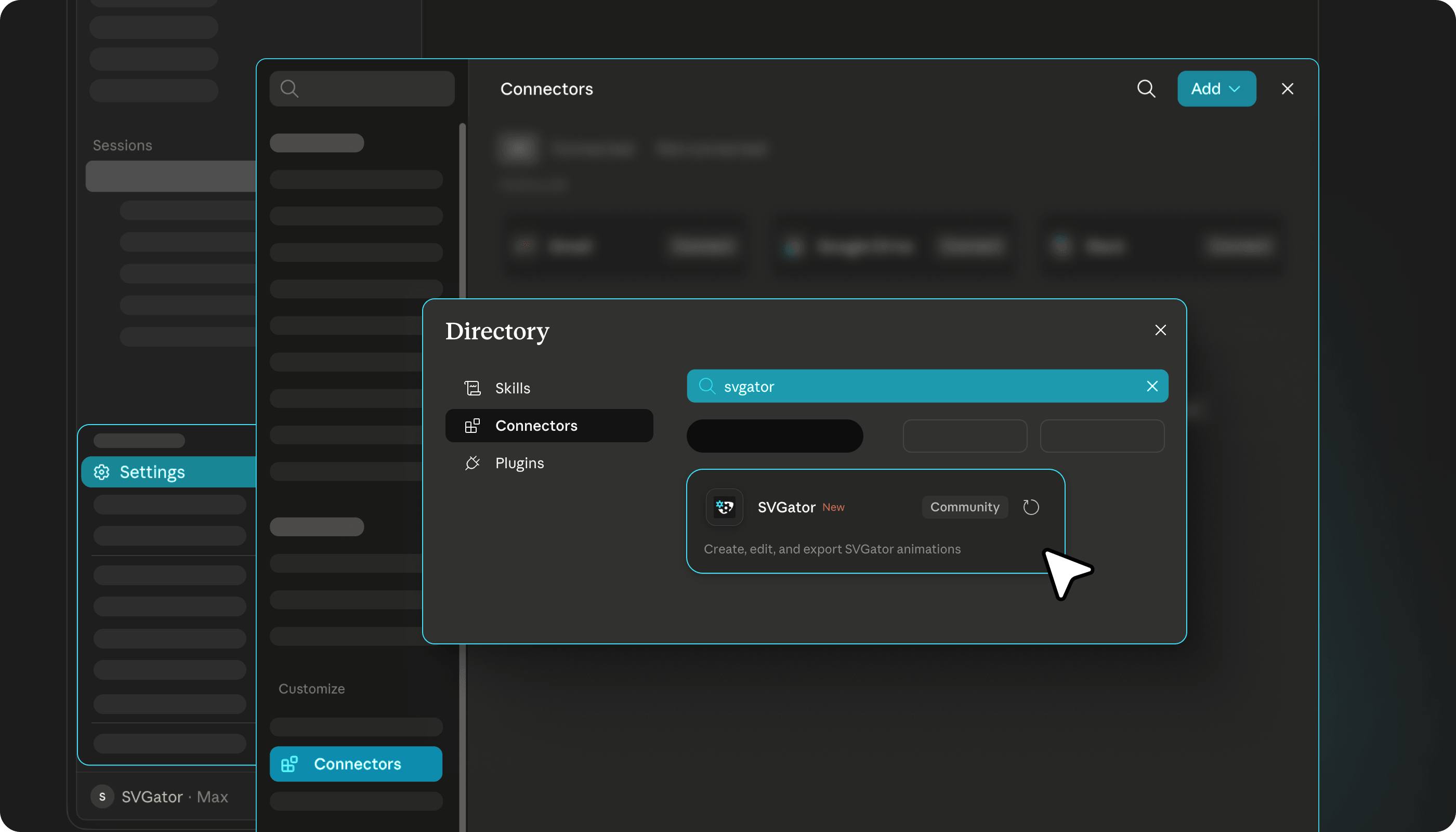
In claude.ai or Claude Desktop, open Settings and go to Connectors, then click Browse connectors.
Find SVGator in the directory (you can search for it by name) and click Connect.
Add as a custom connector
Custom connectors are available on Claude Pro, Max, Team, and Enterprise plans.
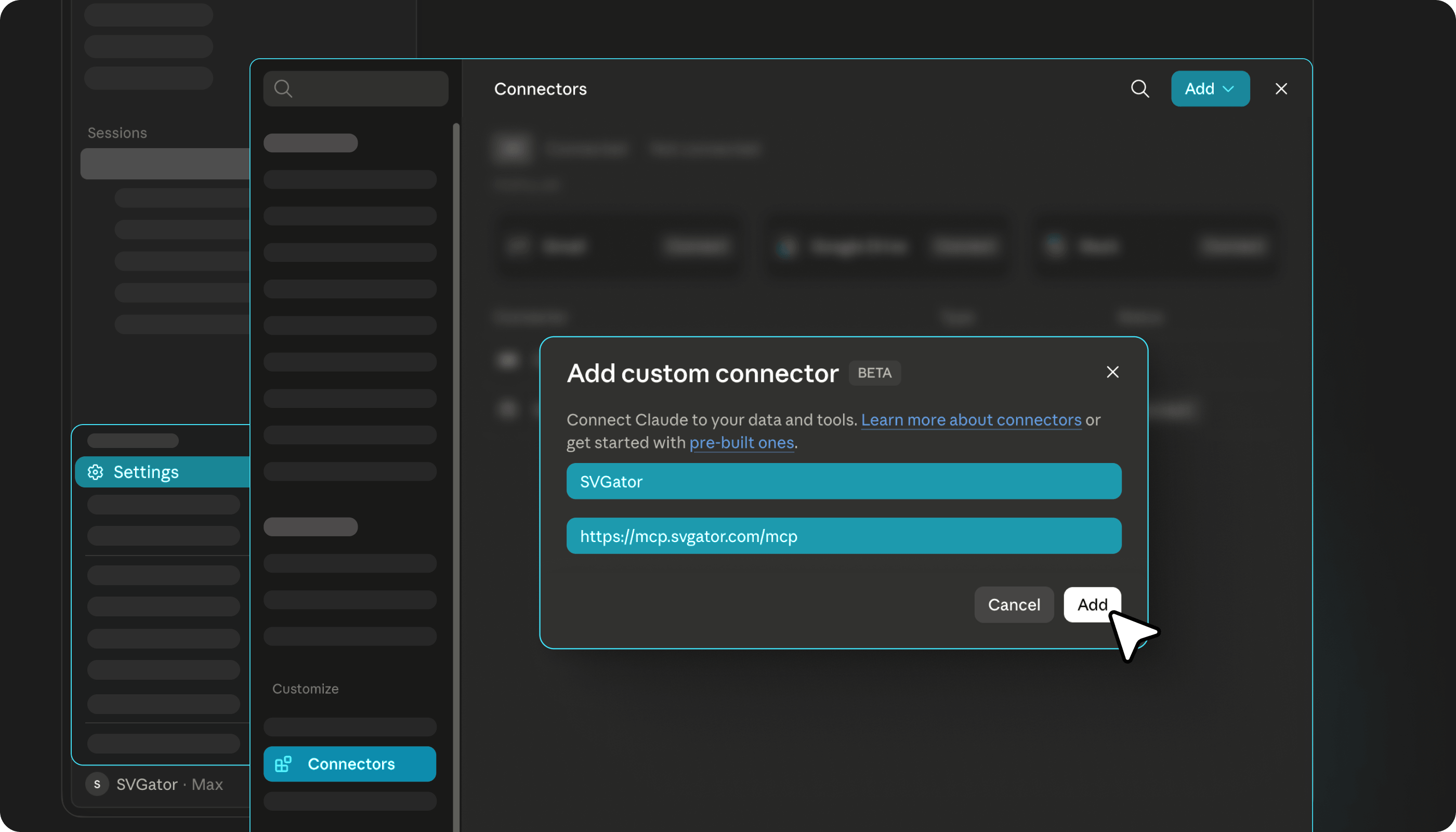
In claude.ai or Claude Desktop, open Settings and go to Connectors, then choose Add custom connector.
Enter SVGator as the name and https://mcp.svgator.com/mcp as the URL, then click Add.
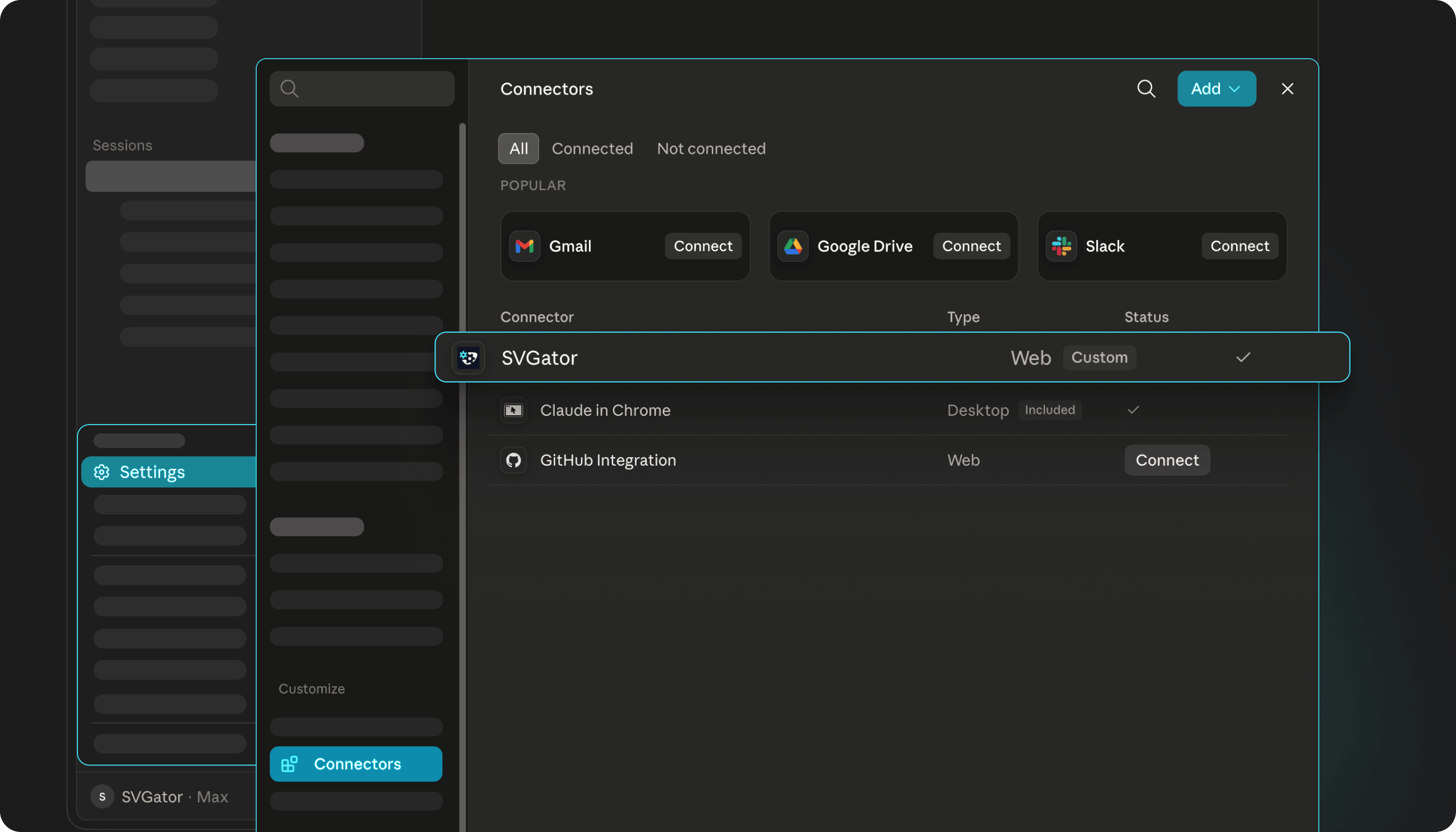
Claude opens a browser window where you sign in to SVGator and approve access. Once you approve, the connector shows as Connected, and the SVGator tools are ready to use in your chats.
Working in Claude Code instead? Add the connector from the command line, then run /mcp and pick svgator to sign in:
claude mcp add --transport http svgator https://mcp.svgator.com/mcp
What you're approving and what Claude can see
When you approve access, you're letting Claude work with your SVGator projects on your behalf: listing them, opening them, editing them, and exporting them.
Your sign-in runs through SVGator's normal login, and your credentials, like your password and access token, stay on SVGator's servers. Claude never sees them.
What Claude does see is limited to the results of what you ask for: your list of projects, summaries of a project's structure, the values you have it read, and any files or links it exports. Nothing else about your account leaves SVGator.
When the connection expires
If the connection ever gets stuck or stops responding, remove the SVGator connector under Settings → Connectors in Claude, add it again with the same details, and approve access once more. Removing the connector only revokes Claude's access; your SVGator account and projects are never affected.