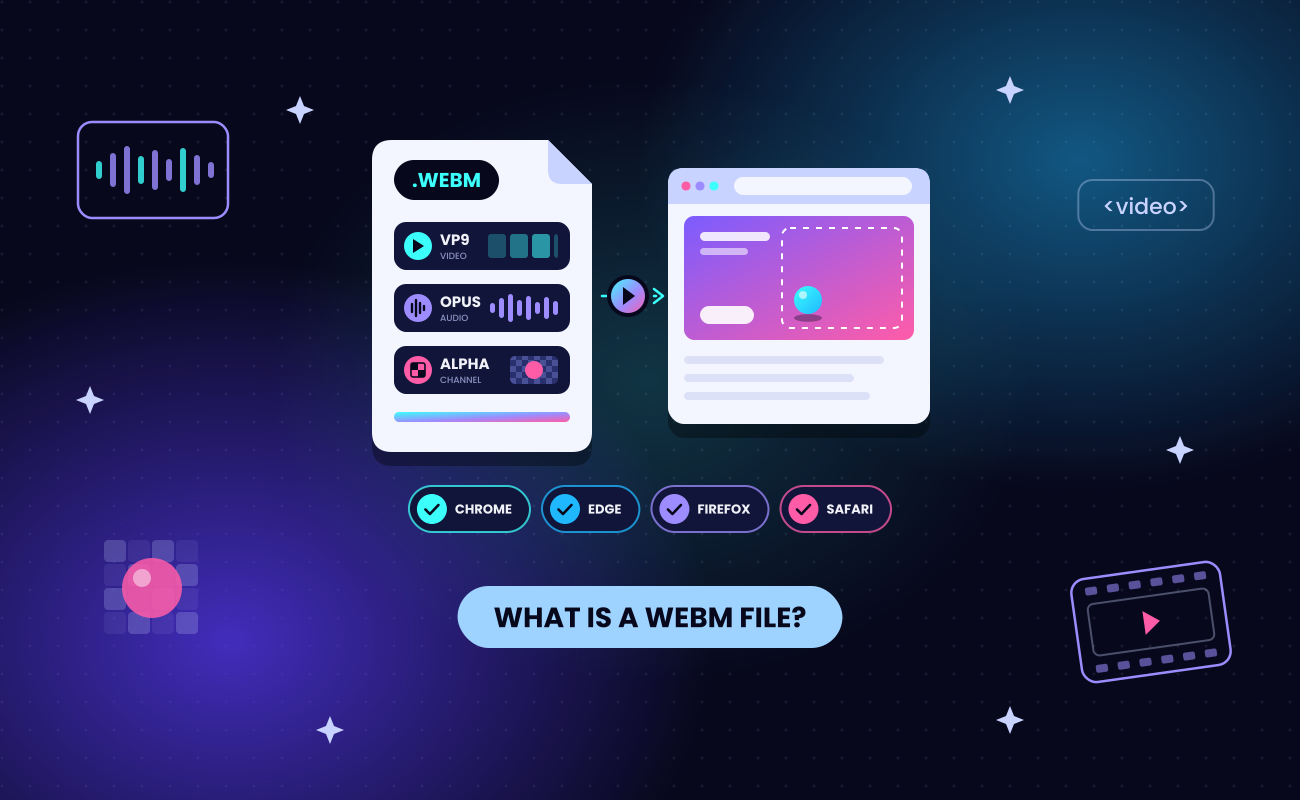
A WebM file (.webm) is a video file in WebM, an open, royalty-free container format (a file format that packs video, audio and other tracks into one file) made for playing media on the web.
- Origin: Google launched WebM in 2010 so sites and browsers could use video without paying patent license fees.
- Where it plays: Chrome, Edge, Firefox and Safari. Safari has played it on Mac since Safari 14.1 (April 2021) and on iPhone and iPad since Safari 17.4 (March 2024).
- Fastest way to open it: drag the file into a browser window, or open it in VLC, a free media player.
- Who uses it: designers and developers, for video on web pages, including video with a see-through background in most browsers.
The table below lists the format's main specs.
Animating an isometric rocket scene in SVGator, played here as a 720p WebM with VP9 video and an Opus audio track.
Key takeaways
- A WebM file (.webm) is a video in WebM, an open, royalty-free container format that Google launched in 2010 for the web.
- WebM holds VP8 or VP9 video and Vorbis or Opus audio in a container based on Matroska.
- Chrome, Edge, Firefox and Safari play WebM without a plugin (Safari since 2021 on Mac and 2024 on iPhone), and the free VLC player opens it too.
- WebM is the better format for video on web pages, while an H.264 MP4 is the safer file to send, edit or play outside a browser.
- A VP8 or VP9 WebM can carry an alpha channel for transparency, which Chrome, Edge and Firefox show and Safari ignores.
- SVGator exports animated SVG on the Starter plan and a VP9 WebM with a transparent background on the Pro plan.
What is inside a WebM file?
A WebM file is a container, and the codecs inside it decide how the video looks, how large the file is and which devices play it. A codec is the method used to compress and decompress that video or audio, which is why two .webm files can behave differently on one phone.
The WebM Container Guidelines set the codecs a WebM file holds:
- Video: VP8 or VP9, open video codecs developed by Google and used inside WebM files. Browsers also play AV1 in WebM, an open, royalty-free codec from the Alliance for Open Media that the guidelines do not name. Safari decodes AV1 only on M3 Macs and later, iPhone 15 Pro and iPhone 16 and later, per MDN's web video codec guide.
- Audio: Vorbis or Opus, open audio codecs that carry the sound in a WebM file.
Google built VP8 and VP9 on work from On2 Technologies. The container is a subset of Matroska, the open format behind .mkv files.
Its MIME types are video/webm and audio/webm (a MIME type is the label a server sends so the browser knows what kind of file it receives). A WebM file can also hold audio only. Subtitles usually come as a separate WebVTT track, because the guidelines state that the initial WebM release does not support subtitles.
The resolution ceiling comes from the codec. VP9 level 6.2 lists an example of 8192×4352 at 120 fps, a codec limit, not a promise that every device decodes it. File size depends on the codec and the encoding settings, not on the .webm extension.
What is a WebM file used for?
WebM is used to play video and animation directly inside web pages through the HTML video element (the HTML tag that plays a video file inside a page), with no plugin and no license fee for the site or the browser maker. Wikipedia lists On2, Xiph and the Matroska project as the format's original developers.
The format has three main advantages:
- Open and royalty-free: the WebM Project calls WebM "an open, royalty-free, media file format designed for the web" and releases its software under a BSD-style license.
- Native browser playback: every major browser plays WebM without an extra download.
- Quality for its size: VP9 keeps image quality high at small file sizes.
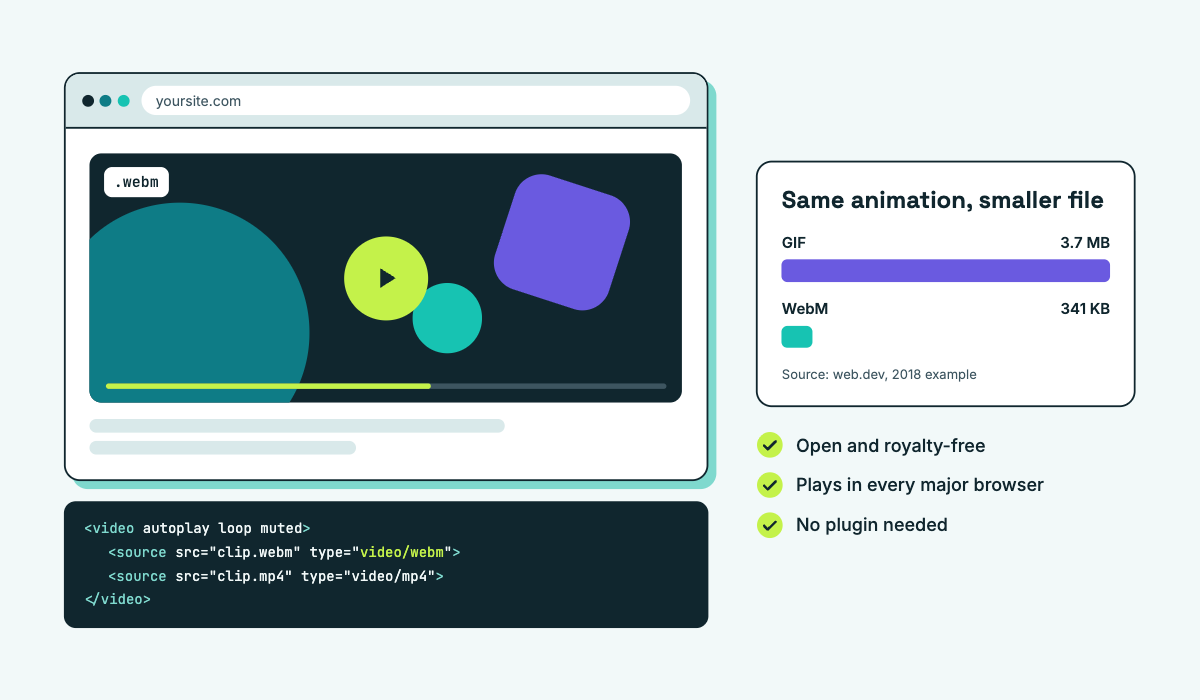
Many sites replace animated GIFs with WebM and MP4 video, which compresses motion far better. In web.dev's 2018 example, a 3.7 MB animated GIF became a 551 KB MP4 and a 341 KB WebM, about 10.9 times smaller (3,700 / 341) in one test file, not a rule. Video compression is also lossy: it drops detail the eye is unlikely to miss. For WebM vs GIF in depth, see our guide to GIF, PNG, JPEG and WebP.
To embed WebM on a page, list a WebM source and an MP4 source in the video element, WebM first, so each browser plays the first format it supports.
How to open a WebM file on Windows, Mac, iPhone and Android
To open a WebM file, drag it into an open Chrome, Edge, Firefox or Safari window, or open it in VLC, a free player that has decoded WebM since VLC 1.1.0 in 2010. None of these browsers needs a plugin: Chrome, Edge, Firefox and Safari all play VP8, VP9 and AV1 video in WebM natively, along with Opus and Vorbis audio, according to MDN's guide to media containers.
- Windows: open the file in Edge or Chrome by dragging it into the window, or right-click it and choose Open with. VLC plays it too. Microsoft also lists VP9 Video Extensions in the Microsoft Store for its media apps.
- Mac: Safari 14.1 or later, which ships with macOS Big Sur 11.3, plays WebM files with VP8 or VP9 video, per Apple's Safari 14.1 release notes. Chrome, Firefox and VLC work as well.
- iPhone and iPad: Safari plays WebM on iOS and iPadOS 17.4 and later, released on March 5, 2024 (Safari 17.4 release notes). Earlier iOS versions cannot play WebM in Safari; the fixes are in the next section.
- Android: open the file in Chrome or another browser, the same fix that works on every desktop.
Online WebM players also exist, but they work by uploading your file to their servers. Skip them for private videos and use a browser or VLC on your own device instead.
Why can't I open my WebM file?
A WebM file that shows a blank icon or an error usually fails for one of four reasons, in this order:
- The app is not a browser or VLC. Some default media players do not open WebM, so use a browser or VLC.
- The browser or operating system is older than WebM support. Safari needs version 14.1 on Mac, or iOS and iPadOS 17.4. Update, or ask the sender for an MP4 copy.
- The video uses AV1. Safari decodes AV1 only on M3 Macs and later, iPhone 15 Pro and iPhone 16 and later. Play the file in Chrome, Edge or Firefox, or convert it.
- The file is a WebP, not a WebM. WebP is an image format with a similar name, so a .webp file opens in an image viewer or browser, not a video player.
To make an MP4 copy yourself, use a free tool from the conversion section below.
Why can't I view WebM on my iPhone?
iPhones play WebM in Safari only from iOS 17.4, released on March 5, 2024, when Apple "Added support for VP8/VP9 and WebM on iOS and iPadOS" (Safari 17.4 release notes). Safari 15, from September 2021, added Opus audio in WebM and VP9 WebM in Media Source Extensions on iPads, which did not bring WebM playback to iPhone. On an older iPhone, update iOS first. An AV1 file also needs an iPhone 15 Pro, or an iPhone 16 or later, and if the recipient cannot update, send an MP4 copy.
What is the difference between WebM and MP4?
WebM and MP4 are both containers. WebM holds open, royalty-free codecs (VP8, VP9 or AV1 video with Vorbis or Opus audio) and was built for browsers. MP4 most often holds H.264, the video codec used in most MP4 files, and plays in more apps and devices.
WebM is not the same as MP4. The two are different containers that usually hold different codecs, and MDN lists MP4 among the containers for VP9 and AV1 as well, which shows that the codec decides how a video plays.
Quality follows the codec and the bitrate (how much data the video uses per second of playback), not the container. MDN's codec guide rates VP9 as "comparable to or slightly faster than that of AVC, but with better quality". File size works the same way, as the web.dev GIF test shows.
Licensing is the other real difference. MDN describes H.264 as proprietary and covered by numerous patents, with a license required for commercial use. Browser support for it is broad: MDN lists H.264 in every version of Chrome, Edge, Firefox, Opera and Safari, with Firefox relying on the operating system's decoder.
Is WebM better than MP4?
Neither format wins everywhere: WebM is the better format for web pages, and MP4 is the safer file to send or edit.
- Video on a web page: offer WebM first and MP4 as a fallback in the video element, as web.dev recommends.
- Sending a file, or playing it outside the browser: use MP4 with H.264, because more apps and devices play it.
- Editing: check your editor's list of supported formats. If WebM is missing from it, convert the file to MP4 first.
- Video with a see-through background on a web page: use WebM with VP9, keeping Safari's limit in mind (covered in the transparency section).
WebM still has weak spots:
- Apps outside browsers support it less widely than MP4.
- Editing apps may need a converted copy.
- Safari plays WebM without its transparency.
- AV1 WebM needs recent Apple hardware, and iPhones before iOS 17.4 cannot play WebM at all.
How do I convert WebM to MP4?
Convert WebM to MP4 with a free desktop tool such as VLC, HandBrake or FFmpeg. All three run on Windows and Mac.
Converting re-encodes the video, which means decoding it and compressing it again in another codec, usually H.264, the codec most players outside the browser expect. Re-encoding takes time and the MP4 copy can lose some detail, so keep the original WebM. A desktop tool also keeps the video on your computer, which makes it safer than an unknown converter site. MP4 can technically hold VP9, but players that need H.264 will still refuse that file.
FFmpeg also works the other way, which helps when you need to make a WebM for a web page rather than open one. web.dev publishes this command for turning an animated GIF into a VP9 WebM:
ffmpeg -i my-animation.gif -c vp9 -b:v 0 -crf 41 my-animation.webmTo turn a WebM into a JPG, pause the video on the frame you want and take a snapshot in VLC, or take a screenshot of the paused frame.
Is a WebM file safe?
A WebM file holds media data, not a program you run, so the realistic risks come from the software that decodes it and from where the file came from. Player updates matter for that reason. On September 27, 2023, Google fixed CVE-2023-5217, a heap buffer overflow in VP8 encoding in the libvpx codec library that was already being exploited, in Chrome 117.0.5938.132 (Chrome Releases). The flaw sat in the library, not in a malicious WebM file.
Three habits cover the risk:
- Keep your browser and video player updated.
- Download WebM files only from sources you trust.
- Skip unknown converter sites and upload-based online players for private files.
The same rule answers whether a virus can ride along with an MP4: any video file is as safe as the player that opens it and the place it came from.

Does WebM support transparency?
Yes, a WebM file can carry transparency when the video uses VP8 or VP9. It stores this in an alpha channel: extra per-pixel information that lets a video play over a web page or other footage. The container guidelines list the AlphaMode element as “Supported”.
Browser support:
- Chrome, Edge and Firefox show the transparency. Chrome has done so since Chrome 31 in 2013.
- Safari plays the same file without it.
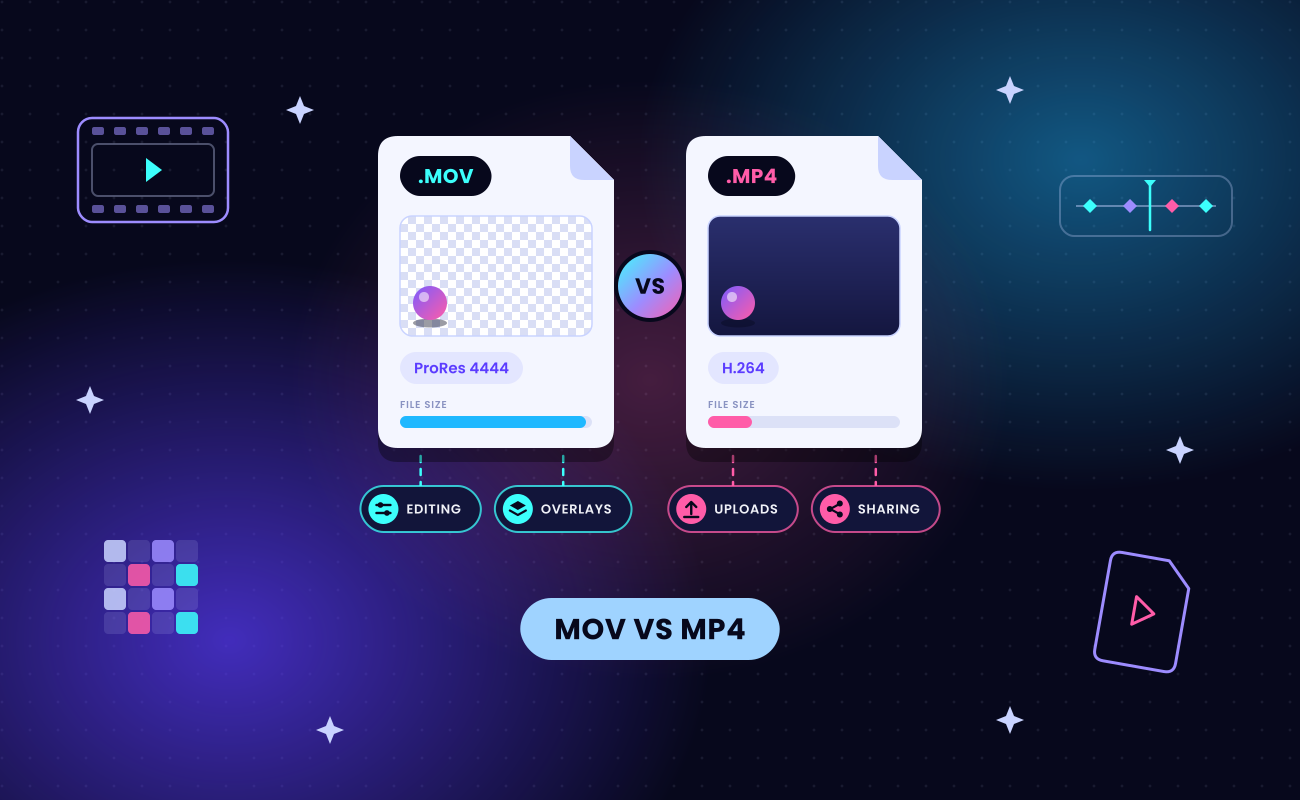
Transparent WebM works well for animated stickers, logo animations and UI motion over a colored or photo background. Video editors are different: overlays there usually use MOV with ProRes 4444, which our MOV vs MP4 comparison covers.
SVGator exports WebM with Google’s VP9 codec, using the 4:4:4 pixel format with 16 bits of alpha for see-through backgrounds. To export one, set the project background to transparent, export as WebM (or MOV) and keep the transparency option checked. Video exports carry no audio, and video export is on the Pro plan.
Does Safari support transparent WebM video?
No. Safari plays WebM (Safari 14.1 on Mac, 17.4 on iPhone and iPad) but ignores its alpha transparency in VP8 or VP9 video, according to MDN. Caniuse lists no Safari version that supports it.
Apple’s route for transparent web video is HEVC (H.265) with an alpha channel. HEVC is the successor codec to H.264, common in MP4 and MOV files. Apple introduced alpha support for HEVC at WWDC19, as a way to composite video over custom backgrounds “in both your apps and on the web.”
To cover every browser, export two files:
- A VP9 WebM for Chrome, Edge and Firefox.
- An HEVC file with alpha for Safari.
Should you use WebM or animated SVG for web animations?
- Use WebM for footage, photographic or effect-heavy motion and screen recordings.
- Use animated SVG for vector motion such as logos, icons, illustrations and UI animation. An animated SVG is a vector graphic whose shapes are animated with code, so it stays sharp at any size, needs no video decoder and has no background unless you draw one.
Final thoughts
A WebM file is web video in an open, royalty-free container that every major browser plays, with Safari on board since 2021 on Mac and 2024 on iPhone. Open it in a browser or VLC. Convert it to MP4 when someone needs to play it outside the browser, and serve it with an MP4 fallback on your own pages.
For the animations on those pages, SVGator handles both formats from one project. You animate in the browser, export animated SVG for logos, icons and UI motion, and export a VP9 WebM with a transparent background when the motion needs to be video. Animated SVG export starts on the Starter plan, and video export is on Pro.