Lottie is a JSON-based format that plays the same vector animation on websites and in iOS and Android apps. In this beginner's guide, you'll learn how Lottie animation works, where it came from, and how it compares to GIF, PNG, and SVG. You'll also find real examples and the steps to create Lottie animations with SVGator, the browser-based SVG animation tool that also exports Lottie JSON.
Table of Contents:
What's the history of the Lottie format?
Which platforms support Lottie?
What are the benefits of Lottie animations?
What are the differences between Lottie and other image formats?
What are the disadvantages of Lottie?
What use cases does Lottie have?
How to implement Lottie files?
What is Lottie?

Key takeaways
- A Lottie file is a JSON file that describes a vector animation, and a player library plays it on websites and in mobile apps.
- Lottie is an open standard: the Lottie Animation Community published specification 1.0 in September 2024.
- dotLottie (.lottie) is a zipped format from LottieFiles that packs several animations and their assets into one file.
- Feature support depends on the player: expressions work in web players but not on Android, iOS, or Windows.
- Animated SVG plays without a player library, while Lottie needs one, such as lottie-web, and suits iOS and Android apps.
- SVGator exports animated SVG and Lottie JSON on the Starter plan, and its free Lottie preview checks JSON files up to 7 MB.
How does a Lottie file work?
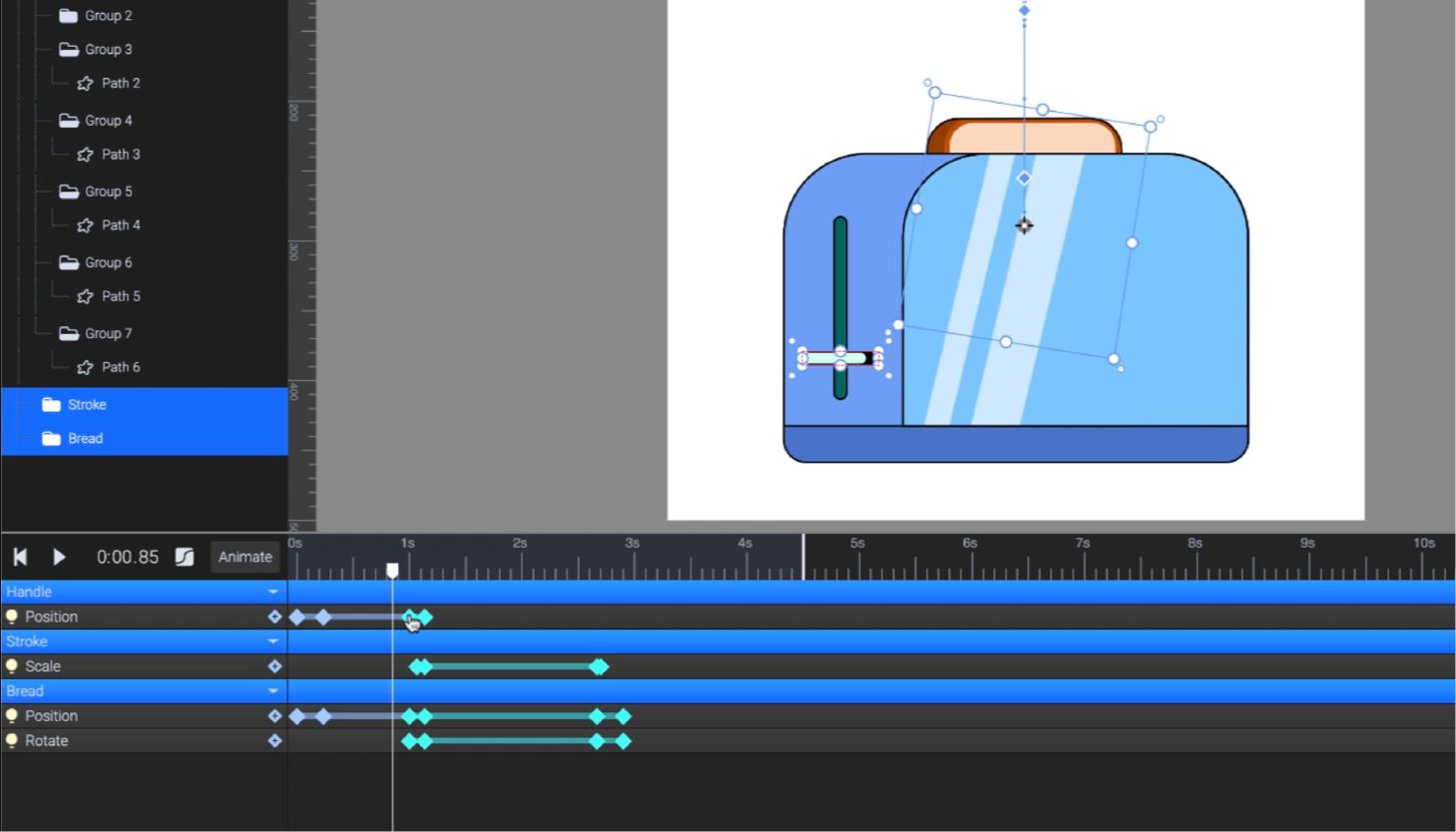
A Lottie file doesn't store frames. It stores a description of the animation in JSON (JavaScript Object Notation, a plain-text data format): the canvas size, the frame rate, the layers, and the shapes, colors, and keyframes on each layer. A player library reads that data and draws every frame at runtime, at the screen's native resolution. On the web, the lottie-web player can render the same animation as SVG, canvas, or HTML.
What is dotLottie?
dotLottie (.lottie) is a packaging format built on Lottie and developed by LottieFiles. A .lottie file is a ZIP archive that can hold several animations, their image assets, color themes, and state machines that react to clicks, hovers, and other events. Compression makes a .lottie file smaller than the same animation saved as raw JSON.
What’s the history of the Lottie format?
Lottie's history dates back to 2015, when Hernan Torrisi released an Adobe After Effects plugin named Bodymovin. It exported After Effects animations as JSON files rendered at runtime. Before this invention, developers had few options for implementing motion designs, and the whole integration process was poor.
Motion designers passed their animations to the developers who had two options:
- Export low-quality versions of the animations.
- Try to reproduce them from scratch, using their coding skills.
Unfortunately, this resulted in suboptimal animations :(
In the same year, LottieFiles launched as a platform where animators and developers could test, share, and show off their animations. Today, browser editors such as SVGator export Lottie without After Effects.
More renderers followed over the next few years, including a Windows library from Microsoft and the .NET Foundation. Lottie became a widely supported format that bridged the gap between motion graphic design and web/app development.
In 2020, LottieFiles created dotLottie, an open-source file format that packs one or more Lottie animations and their assets into a single file.
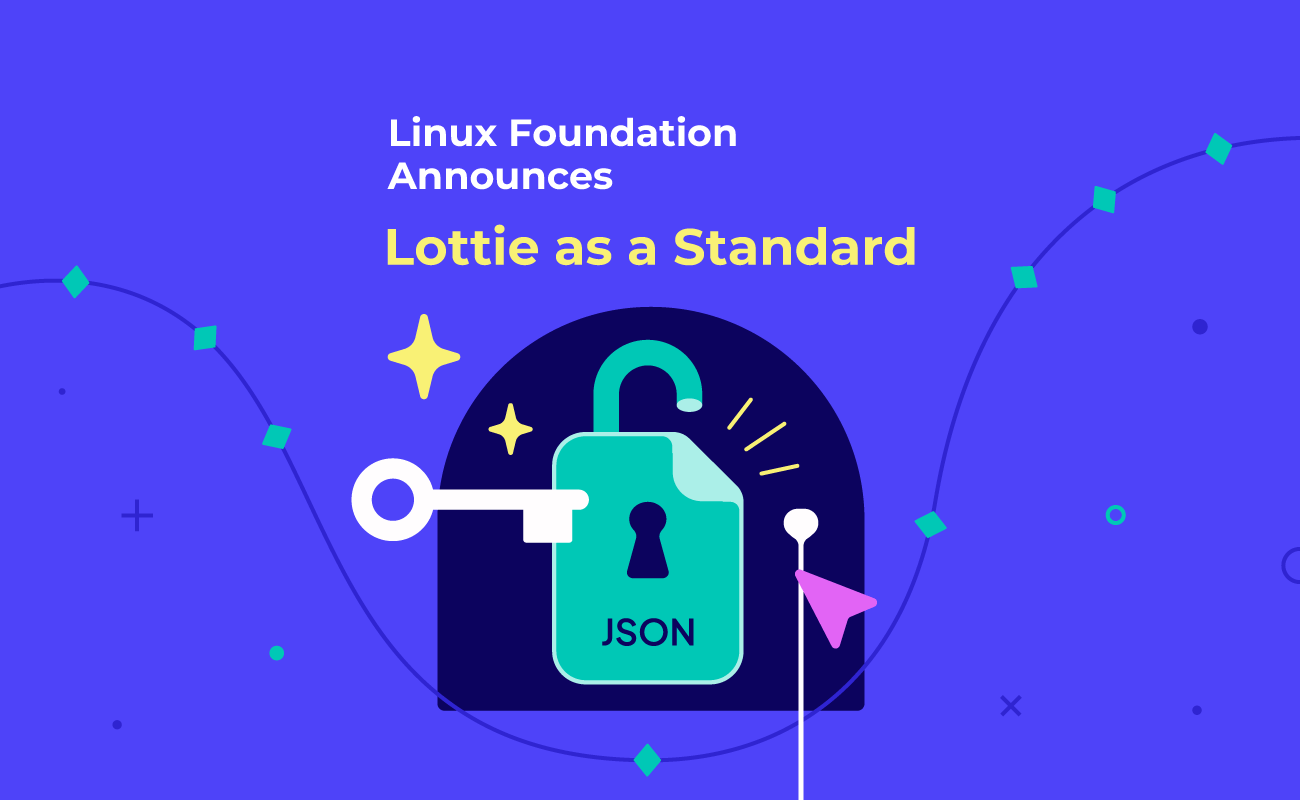
In January 2024, the Lottie Animation Community launched as a non-profit open source project hosted by the Linux Foundation, with Hernan Torrisi, Google, LottieFiles, Airbnb, Salih Abdul-Karim, and Gabriel Peal on its steering committee. It published version 1.0 of the Lottie specification in September 2024 and version 1.0.1 in April 2025, which makes Lottie a documented open standard. In 2025, the format also got an official media type, video/lottie+json, and the .lot extension.
Which platforms support Lottie?
Lottie runs on Android, iOS, Windows, and the web, and community libraries bring it to many other platforms:
- Its native support for Android and iOS lets developers easily add engaging animations to their mobile applications.
- Lottie is also a popular format in web development because the animations can be embedded directly into web pages, and they are interactive. Windows-based applications can integrate Lottie too.
- Community libraries cover React Native, Flutter, Qt, and Xamarin, and renderers such as rLottie and Skottie (part of Google's Skia library) play Lottie files as well. dotLottie players add support for React, Vue, and Svelte projects.
What are the benefits of Lottie animations?
Lottie bridges the gap between motion graphic designers and developers, speeding up the web development process. Its libraries render animations in real time, and developers can change many properties in code without re-exporting anything.
The main benefits of Lottie animations are detailed in the below table:
| Small file size 🤏 | Vector-based ♾️ | Multi-platform support 💻 | Interactivity 🪄 |
| Lottie animations are an efficient solution for web and mobile applications due to their compact file size. They load faster than other, heavier animation formats, and they take up less storage space. | Lottie animations are infinitely scalable, which makes them ideal to be displayed on various devices and screen sizes without losing quality and resolution. | Lottie’s libraries integrate with platforms such as iOS, Android, web, and React Native. This cuts development time and simplifies the whole process. | Lottie animations support interactivity, so they can be triggered on scroll, click, and hover. They offer a dynamic and engaging way to enhance user experiences on websites and applications. |
Here are 5 reasons for using Lottie:
1. It is widely supported
Lottie animations play in all modern browsers that support JavaScript, and libraries exist for iOS, Android, and other app platforms.
2. A Lottie file is plain text
Lottie animations are easy to maintain because they are saved as plain-text JSON, which reduces debugging time and lets you make small adjustments without special software. As JSON, they work natively with JavaScript.
3. It is dynamic
Developers can swap colors or text, play only a segment, and control playback speed and direction in code.
4. It has great quality
Lottie is a vector-based format, which means that it looks good on any screen and won’t get pixelated no matter how much you scale it. The rendering will always be done at the screen’s native resolution.
5. It’s smaller than other formats
A Lottie file stores shapes and keyframes instead of pixels for every frame, so it is usually much smaller than a GIF, MP4, or PNG sequence of the same animation. Airbnb's Lottie docs say a GIF is more than double the size of the same animation exported as Bodymovin JSON, and a PNG sequence is often 30 to 50 times the size of the JSON. You can shrink a Lottie file further. SVGator's optimized JSON export reduces file size by up to 70%, and the lottie-web documentation recommends gzipping the JSON for an even smaller footprint.
What are the differences between Lottie and other image formats?
There are significant differences between Lottie and other image formats regarding aspects such as size, quality, and color accuracy. Here's how Lottie compares to the most widespread animated formats:
Lottie vs PNG (PNG sequence)
| Lottie | PNG (PNG sequence) |
| Vector-based graphics, infinitely scalable | Raster-based graphics, made up of a fixed number of pixels |
| Usually much smaller than the equivalent PNG sequence | Tend to be large due to lossless compression |
| Easy to animate and edit | More difficult to animate and apply changes later |
| Can be easily integrated into applications using libraries | PNG sequence implementation involves several additional steps and more coding |
| Lottie files take less disk space resulting in faster loading times | PNG sequence will make your page load slower |
| Supports interactivity | Doesn’t support user interactions |
Lottie vs GIF
Below is a table comparing Lottie files and GIF files:
| Lottie | GIF |
| Vector-based graphics, infinitely scalable | Raster-based animation files, made up of a fixed number of pixels |
| Usually much smaller than a GIF of the same animation, and faster to load | Large file size, slower load times |
| Supports looping, playback, speed control, and layer properties | Loops continuously, so there’s no opportunity to pause it |
| Flexible, easy to customize | Impossible to make changes once it’s done |
| Supports full transparency and interactivity | Supports only on/off transparency (no partial transparency) and no interactivity |
Lottie vs SVG animation
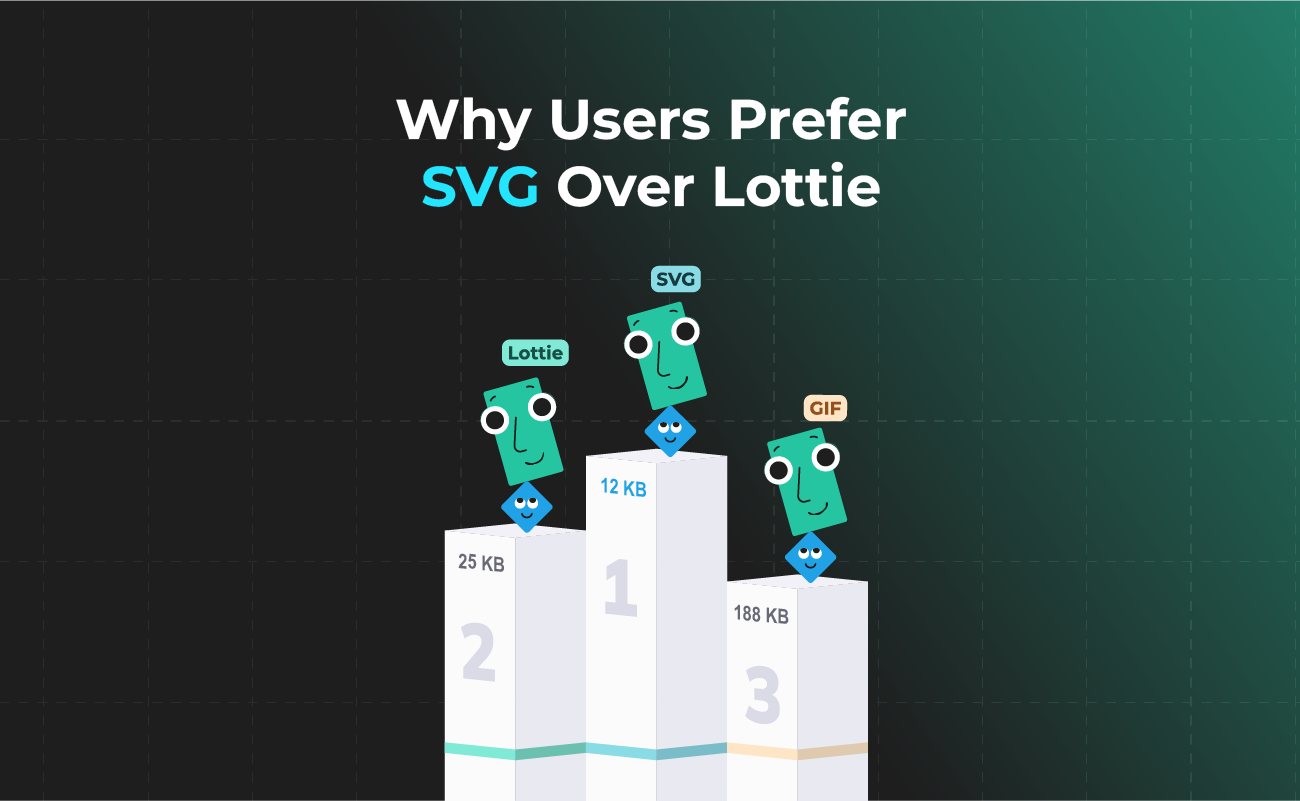
Both are vector formats, but they work differently. An SVG file is written in XML and goes straight into your HTML, with no separate player library to load. A Lottie file is JSON, so it needs a runtime library such as lottie-web. Lottie is the stronger choice when the same animation has to run inside iOS and Android apps, while animated SVG suits websites that need a light file with no player dependency. SVGator exports both, so you can animate once and pick the format per platform (see this comparison of the Lottie and SVG formats).
What are the disadvantages of Lottie?
Lottie has received mainly positive responses in the design and development industry, but the format still has a few limitations and shortcomings.
Adding extra keyframes to your animation can result in a larger file size, so during the creation process, you should pay attention to every aspect in order to get a lightweight Lottie file at the end. You should avoid using presets like Wiggler and Autotrace and animating along a path because these can add useless lines of code to your Lottie file.
Complex animations with many layers, masks, or effects also need more processing power and can drop frames on low-end phones.
If you want to learn more about the limitations, you can check this Lottie supported features table.
What use cases does Lottie have?
There are countless creative use cases for Lottie animations in mobile applications and websites, some of them being the following:
- Presentation slides
- Social media posts
- Animated icons and buttons
- Loading animations
- Onboarding tutorials
- Background animations
- In-app animations
- Animated website illustrations
- Stickers
- Infographics
- Gaming assets
- Ads
Well-placed Lottie animations guide users through a product, draw attention to key actions, and make the user journey more interactive.
Examples of Lottie animations
Check out this list of Lottie animation examples, and hopefully, you'll be convinced of the versatility that the format has to offer:
Lottie loading animation


Animated Lottie icons


Web animation made in Lottie
Lottie character animation


Animated Lottie logo

Landing page with Lottie animation
Lottie Website animation


Animated illustration in Lottie
Lottie mobile app animation
How to create Lottie files?
Creating Lottie animations is easier than you might think. SVGator is a browser-based SVG animation tool that also exports production-ready Lottie files, with no plugins and no coding required. The workflow has four steps:
- Import or design. Open an existing Lottie JSON file, import an SVG, or draw your elements in the editor.
- Animate. Add keyframes on the timeline, with motion paths, morphing, masks, stroke animations, and color animations at hand.
- Preview. Check the result with the Lottie player built into SVGator's export panel.
- Export. Download standard Lottie JSON, or optimized JSON for a smaller file. Lottie export is included in SVGator's paid plans, starting with Starter.
Watch the tutorial below to see the full workflow
You can also ask an AI assistant: with the SVGator MCP server connected, it can create or edit an SVGator project and export it as Lottie JSON.
How to implement Lottie files?
Before you add a Lottie file to a site or app, check it in SVGator’s free Lottie preview: drop the .json file, then check the frame rate, duration, size, and any transparent areas. The file plays locally in your browser and is never uploaded (Lottie JSON only, up to 7 MB).
How you add a Lottie file depends on where it will play:
- Websites: load the JSON with the lottie-web library, which can render it as SVG, canvas, or HTML, or use a dotLottie web player.
- Mobile apps: add your Lottie to iOS and Android apps with the official Lottie libraries, or use the React Native and Flutter packages for cross-platform apps.
- Design tools: you can also add your Lottie to widely used design tools such as Figma or Adobe XD through plugins.
Useful resources about Lottie
Here's a list of useful resources about the Lottie format:
- Lottie docs from Airbnb - https://lottie.airbnb.tech/#/
- Lottie GitHub docs - https://lottie.github.io/lottie-spec/
- dotLottie docs - https://dotlottie.io/intro/
Final thoughts
Lottie stands out for cross-platform support, sharp rendering at any size, and small file sizes. With an open specification and dotLottie for packaging, it’s a stable choice for web and app animation.
With SVGator, you animate once in the browser and export animated SVG or Lottie JSON from the same project. Try SVGator’s Lottie editor.