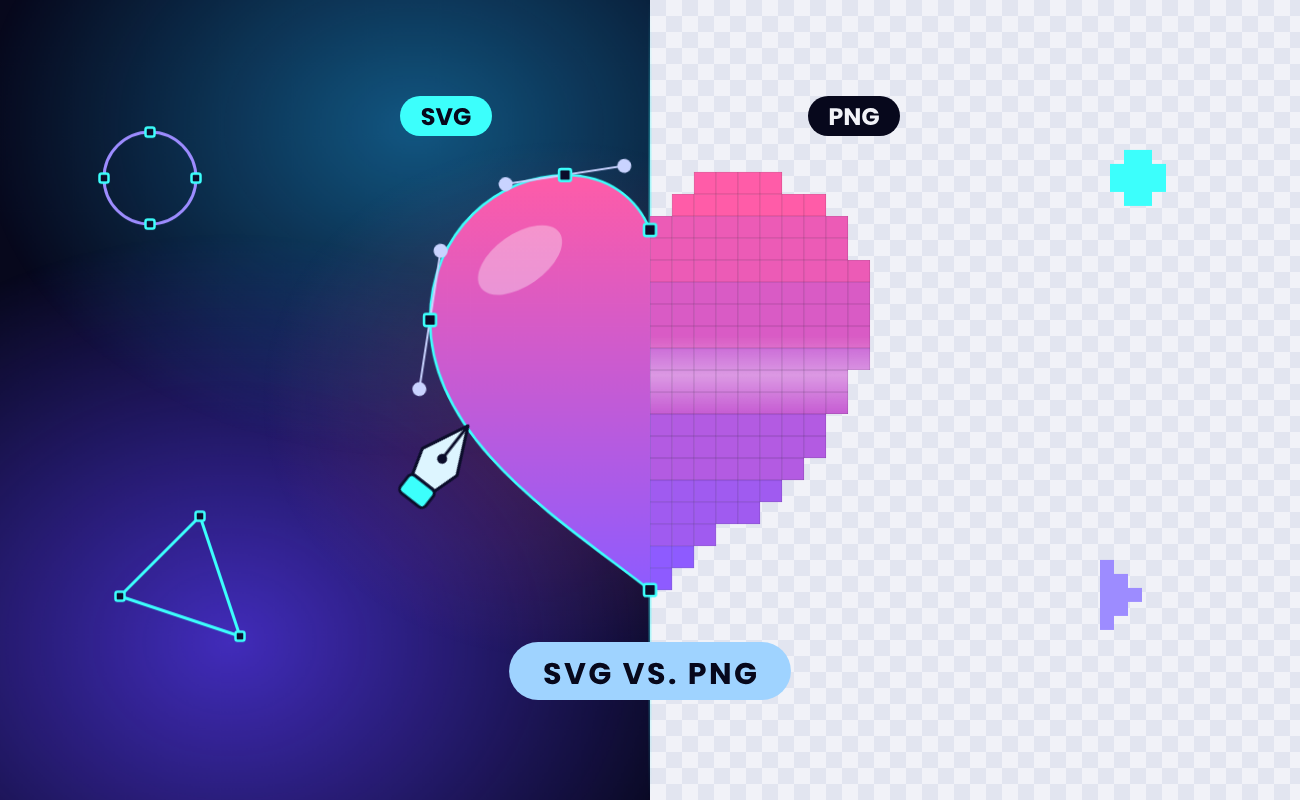
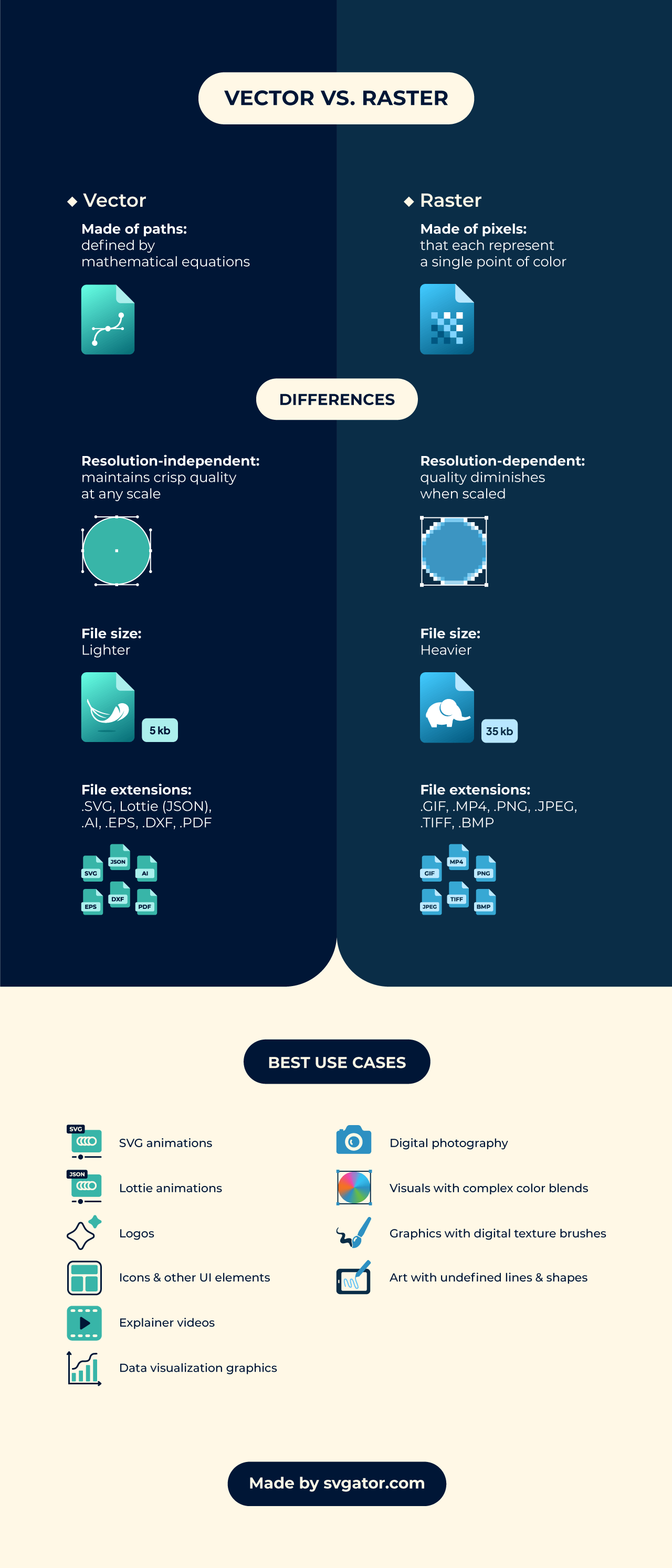
SVG (Scalable Vector Graphics) is a vector format: shapes redrawn at any size. PNG (Portable Network Graphics) is a raster format: a fixed grid of colored pixels.
Use SVG for shapes, such as logos, icons, illustrations and UI, and PNG for pixels, such as photos, screenshots and textured art.
SVG isn't automatically higher quality. It stays sharp at every size, while PNG keeps photo detail that SVG can't describe efficiently.
Table of contents
- What is the difference between SVG and PNG?
- Which is better, SVG or PNG?
- When should you use SVG vs PNG?
- Is SVG or PNG better for Cricut?
- SVG vs PNG for animations
- When not to use SVG?
- Are SVG and PNG interchangeable?
- Which programs open and edit SVG files?
The table compares both formats, and the sections below give a verdict for websites, logos, email, print, Cricut projects and animation.
What is the difference between SVG and PNG?
An SVG file is XML text that describes shapes the browser redraws at any size; a PNG file stores a fixed grid of pixels compressed without data loss.
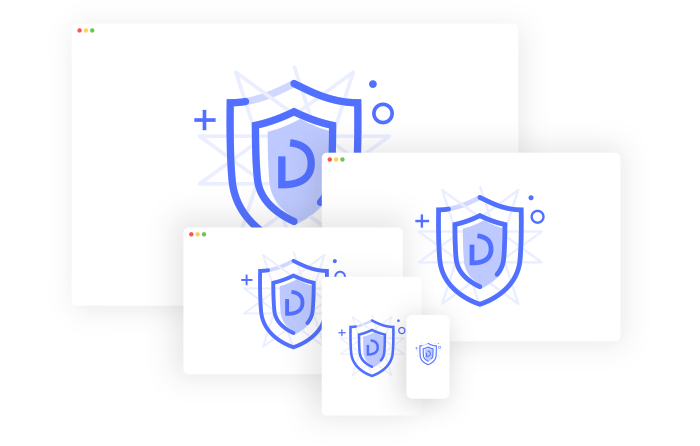
XML is a plain-text markup language, so you can open an SVG file in any text editor and read it. CSS and JavaScript can style or animate it like any other page element, and you don’t have to write that code by hand: in SVGator, you animate the shapes on a timeline and export one SVG file with the motion built in. The browser draws the shapes at display time, which makes SVG resolution-independent: it looks equally sharp at any display size because the browser redraws it. The three lines below are a complete SVG image.
<svg xmlns="http://www.w3.org/2000/svg" viewBox="0 0 100 100">
<circle cx="50" cy="50" r="40" fill="#1a73e8" />
</svg>
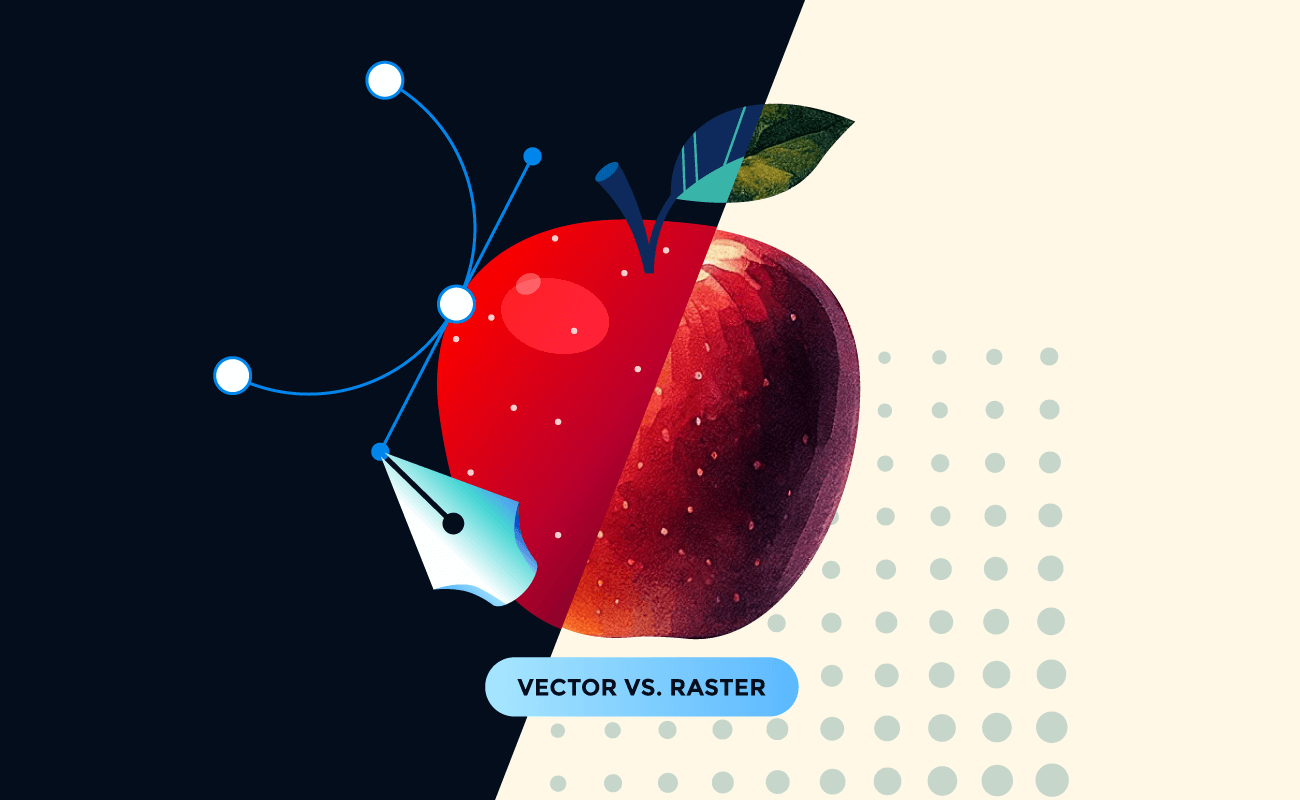
PNG records the color of every pixel and shrinks the file with DEFLATE, a lossless compression method that makes the file smaller without discarding any pixel data. Its alpha channel gives each pixel its own opacity value, so edges can fade smoothly into any background. The pixel grid has fixed dimensions, and a PNG shown larger than its native size blurs.
Both formats are W3C standards. PNG became a W3C Recommendation in 1996 as a patent-free replacement for GIF, and SVG 1.1 Second Edition has been a Recommendation since 2011. SVG is also growing on the web: the HTTP Archive Web Almanac 2024 counted SVG at 6.4% of images on mobile pages in 2024, about 2 percentage points more than in 2022, while JPEG's share fell from 40% to 32%. For the longer background on vectors and pixels, read our guide to raster vs vector graphics.
Which is better, SVG or PNG?
SVG is the better choice for graphics built from shapes, like logos, icons, charts and flat illustrations, and PNG is the better choice for pixel-based images, like photos and screenshots. Neither format wins for every image.
Transparency doesn't decide it, because both formats support it: PNG sets opacity pixel by pixel through its alpha channel, and SVG is transparent anywhere no shape is drawn. Browser support doesn't decide it either. SVG works in every current browser and reaches 97.27% of global users as of September 2026, according to Can I use, while PNG also opens in email clients, older desktop apps and upload forms that reject SVG.
Is SVG higher quality than PNG?
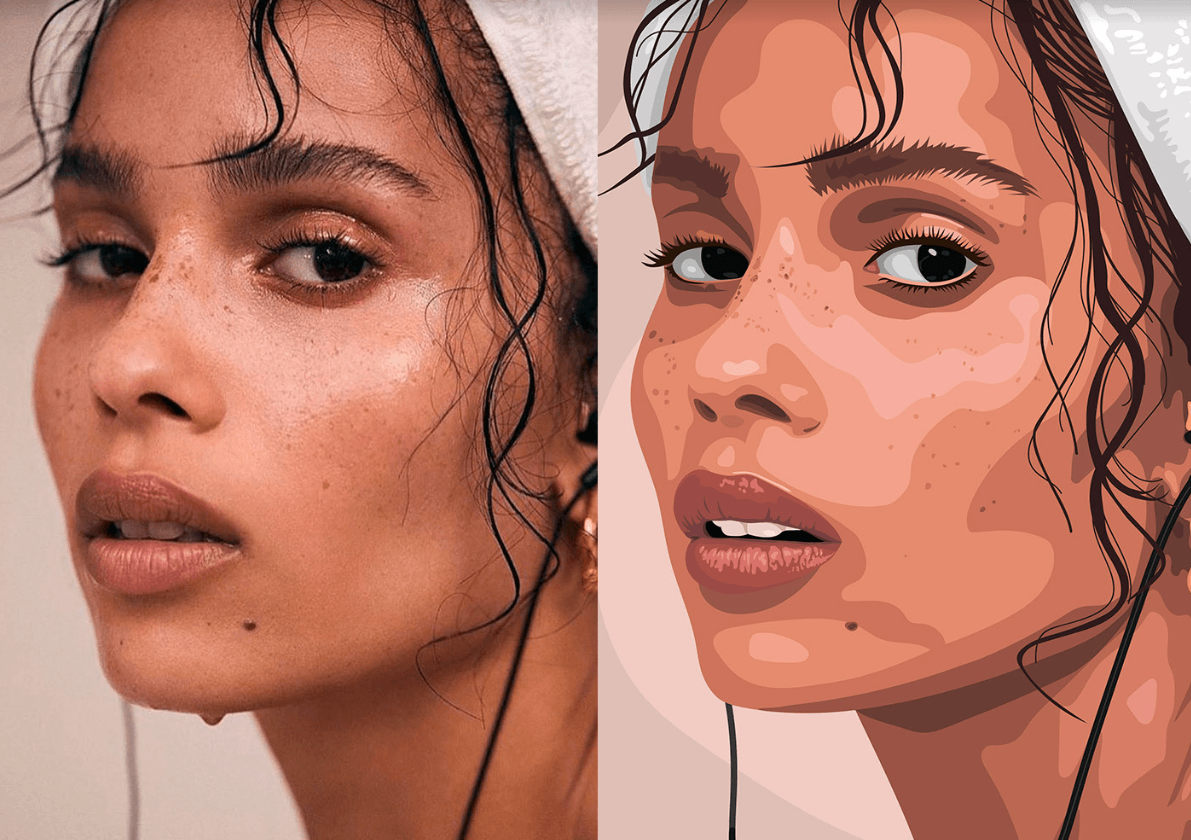
For shapes and text, yes; for photographs, no. SVG isn't inherently higher quality than PNG: it stays sharp at any size for logos, icons and type, while PNG keeps more detail in photographs, because describing millions of color variations as shapes produces a large, inefficient SVG file.
An SVG file doesn't lose quality when you scale it, and MDN lists the format's maximum dimensions as unlimited. A PNG blurs when it's displayed larger than its pixel dimensions, and high-DPI screens make that happen at smaller sizes than you'd expect.
A blurry SVG usually has a raster image hidden inside it:
- Cause: the file embeds a PNG or JPEG in an <image> tag, or it was exported from a low-resolution trace.
- Fix: open the file in a text editor or vector editor, find the <image> tag, and redraw or re-vectorize that part.
Are SVG files smaller than PNG?
SVG is usually smaller than PNG for simple graphics such as icons and logos, and can be larger for complex illustrations with thousands of paths, because every extra shape, gradient and traced detail adds more XML.
The PNG column keeps growing because of retina and other high-DPI screens, which pack 2 or 3 device pixels into each CSS pixel, so a raster image needs 2x or 3x the pixels to look sharp. A site that uses PNG ships @2x and @3x copies of each image, while one SVG covers every screen density.
PNG compression is lossless. SVG is neither lossy nor lossless in the raster sense, because it's text, not pixels. Servers can gzip it (a compressed SVG uses the .svgz extension), and SVGO, an open-source tool that strips editor metadata and redundant code from SVG files, trims it further.
When should you use SVG vs PNG?
Use SVG wherever an image is built from shapes and has to stay sharp on screen, and PNG wherever the image is made of pixels or the channel can't display SVG.
Gmail converts SVG images to PNG, so PNG is the reliable choice for email. According to Can I email tests from September 2026, Gmail webmail and the Gmail Android app show SVG rasterized as PNG, and the Gmail iOS app renders SVG only for non-Google accounts. A campaign goes to every kind of inbox at once, and PNG displays in all of them.
Professional printers usually ask for vector files, typically PDF or EPS, and SVG works in most print workflows. At home, a PNG at 300 DPI at the final print size is enough.
A lot of social networks reject SVG uploads, so export posts and profile images as PNG.

SVG vs PNG for websites and icons
Use SVG for logos, icons, UI elements, charts and flat illustrations on your website, since one file serves every screen density and scales with responsive layouts. SVG icons can also react to the user. SVGator exports hover, click and scroll interactions inside the SVG file on the Starter plan and above, so an animated menu icon or button stays a single lightweight file.
Use PNG, or WebP, for screenshots, textured artwork and anything photographic.
Favicons are the place to keep both formats. SVG favicons reach 91.61% of users as of September 2026, according to Can I use: Chrome and Edge have supported them since version 80 in 2020 and Firefox since version 41, but Safari only added support in version 26. Keep a PNG or ICO fallback. At 16x16 or 32x32 pixels, a hand-tuned PNG can also look sharper than a scaled-down SVG.
For search, Google Images indexes SVG files referenced in an <img src> attribute, and an inline SVG isn't available in image search. If you inline an SVG, Google recommends giving it a <title> element linked with aria-labelledby, which also gives screen readers a name for the graphic.
Should my logo be SVG or PNG?
Keep your master logo as an SVG and export PNG copies from it for email, social profiles and apps that don't accept SVG. The SVG master scales from a browser tab icon to a billboard without a new export, and because it's code, you can change its colors with CSS instead of redrawing it. It also doubles as a vector file for print.
The same file can become an animated logo. Import it into SVGator from Illustrator or through Figma plugin, add motion on the timeline, and export an animated SVG for your website (Starter plan) plus GIF or APNG copies for places that don’t play SVG (Pro plan). Export PNG versions for:
- email signatures
- social media avatars
- slide decks
- marketplaces and upload forms
A logo with photographic texture or complex gradients is the exception. Keep that one as a high-resolution PNG, next to a simplified SVG version for the web.
Is SVG or PNG better for Cricut?
If you cut with a Cricut, use SVG for anything you want the machine to cut. In Cricut Design Space, SVG files upload as separate layers with cut paths, while PNG files upload as a single layer that cuts only the outer silhouette or prints and cuts as Print Then Cut.
Print Then Cut is a Design Space mode that prints a full-color image, then cuts around its outline, which makes PNG the right file for stickers and labels. Design Space accepts PNG, JPG, SVG, DXF, GIF and BMP files, but they don't all behave the same. According to Cricut's upload guide, Design Space separates SVG and DXF files into layers automatically, and it saves PNG and JPG uploads either as a Cut image or as a Print Then Cut image.
When an SVG won't upload, check the file itself. Designs from marketplaces often arrive as a ZIP archive, so extract it and upload the SVG inside. An SVG that wraps an embedded raster image instead of real vector shapes causes trouble too. To transfer a file, click Upload in Design Space on desktop or mobile and pick the SVG from your device.
SVG vs PNG for animations
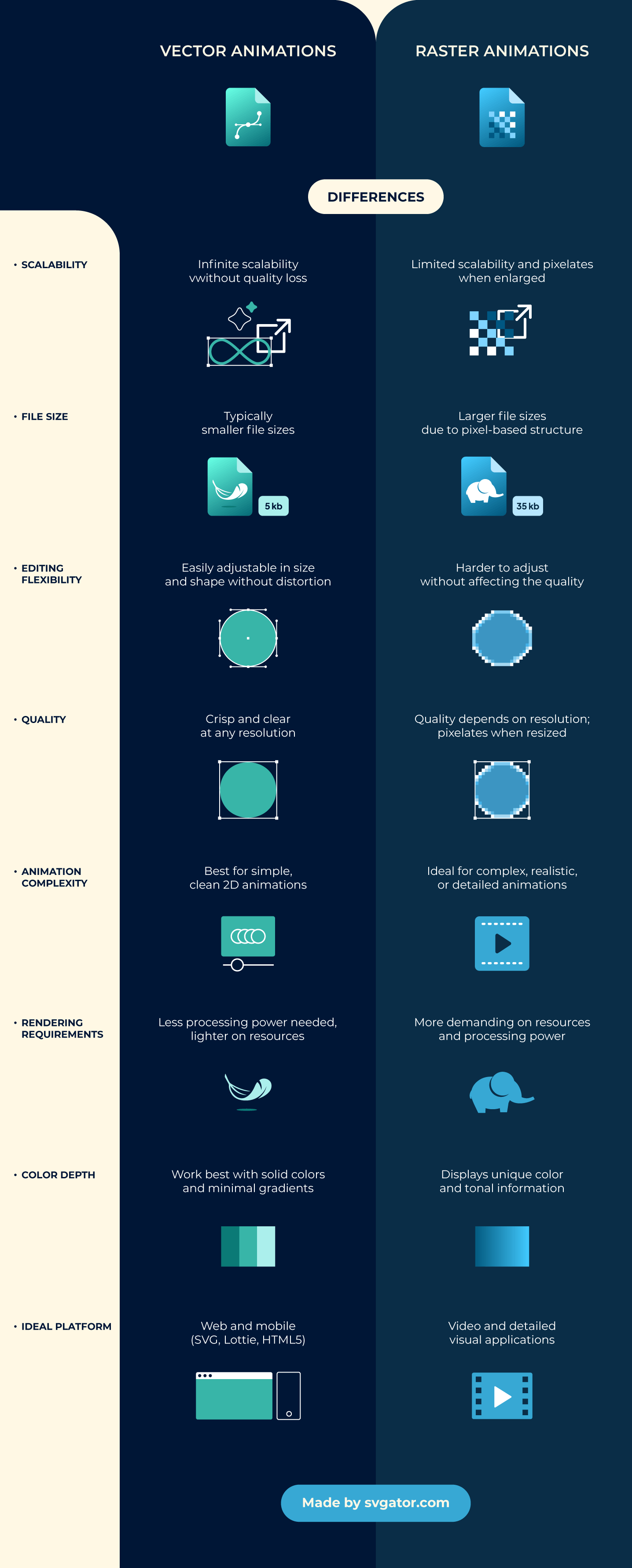
PNG can be animated: APNG (Animated PNG), a PNG that stores multiple frames, has been part of the official PNG specification since the W3C published the PNG Third Edition as a Recommendation on June 24, 2025. SVG animates with CSS, JavaScript or SMIL, SVG's built-in animation syntax (tags like <animate>). APNG and GIF store every frame as pixels. An animated SVG stores the shapes once plus the motion instructions, so it stays sharp and usually light.
WebP animates too, video (MP4 or WebM) suits long or photographic motion, and Lottie JSON suits native apps. Our guide to animated PNG files compares APNG and GIF in more depth.
Animated SVG vs APNG vs GIF: file sizes compared
To compare the three, we exported one SVGator animation of [design] at [W x H] px, [duration] seconds and [frame rate] fps as an animated SVG (CSS animation type), an APNG and a GIF. At the same size and duration, the animated SVG weighed [X] KB, the APNG [Y] KB and the GIF [Z] KB.
[Interpretation from the measured sizes: which file is smallest and by how much. Note any exception, for example a GIF that comes out smaller for a short, low-color loop.] Zoom the page and only the SVG stays sharp, because the browser redraws its shapes at the new size while the APNG and GIF frames stretch.
You can start building the same kind of animation in SVGator for free, then export it as animated SVG, APNG or GIF from one project on a paid plan. The same project also exports WebP, video formats such as MP4 and WebM, and Lottie JSON.
How to embed an animated SVG so it plays
CSS-animated SVGs play in an <img> tag; JavaScript-animated or interactive SVGs need an <object> tag or inline SVG, which is SVG code pasted directly into the page HTML instead of linked as a file.
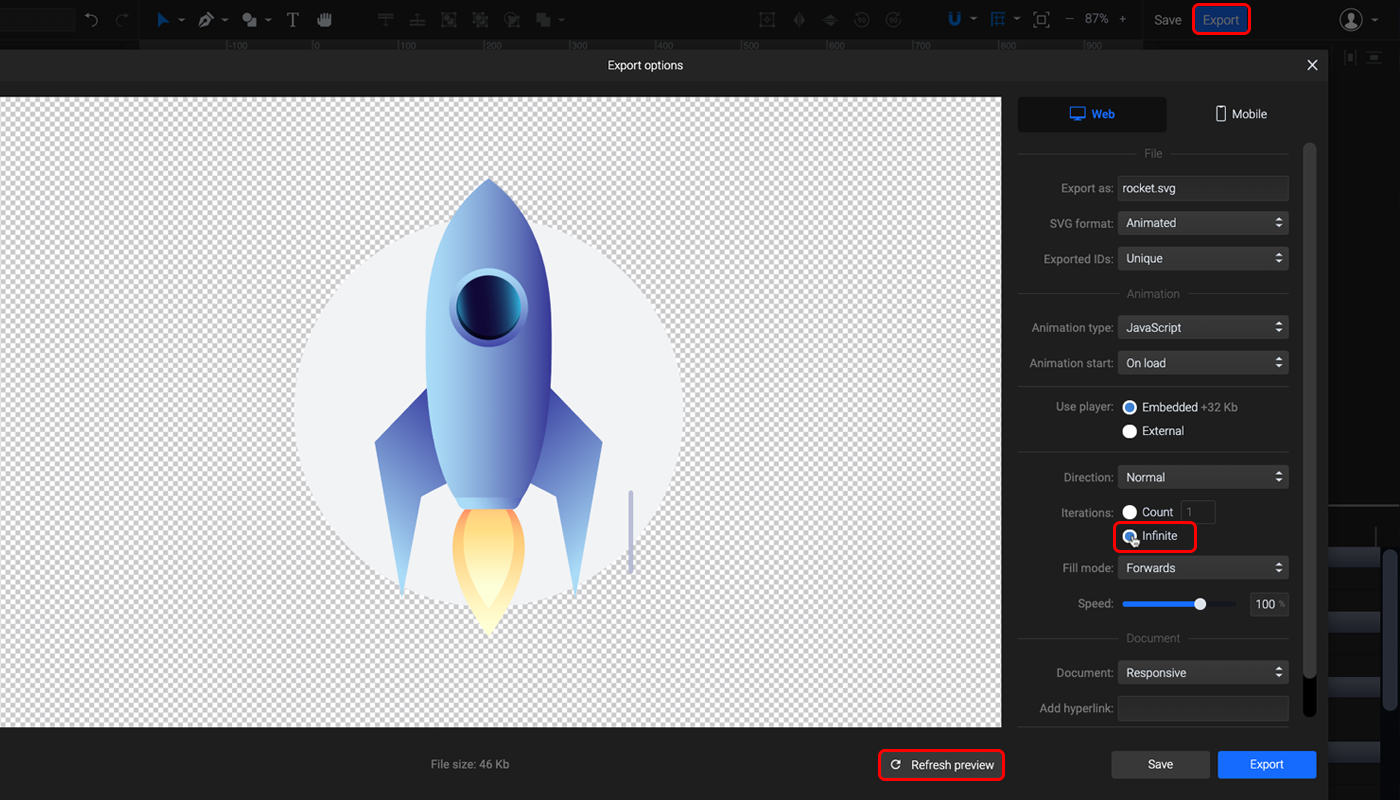
SVGator lets you choose CSS or JavaScript as the animation type when you export an animated SVG, so decide where the file will live before you export. Our help article on adding animated SVG to your website has the embed code for each method.
Since a September 2024 update, Safari may not start SVG animations loaded through <img>, and <object> or inline SVG avoids the problem. Pick <img> when you want the animation to appear in image search, and <object> or inline SVG when it runs on JavaScript or reacts to the user.
When not to use SVG?
Avoid SVG for photographs, heavily textured artwork and email campaigns, and use PNG, JPEG or WebP instead. SVG describes shapes, so images without clean shapes, and channels that can't display SVG, need a raster file:
- Photos: JPEG, WebP or AVIF usually beat both SVG and PNG on file size for web photos (see our image formats guide), and PNG keeps screenshots pixel-exact.
- Detailed or textured illustrations: once traced into thousands of paths, the SVG can end up larger than a PNG of the same image.
- Email to Gmail users: Gmail converts SVG to PNG anyway, so send PNG.
- User-uploaded SVG files: an SVG can carry script, which opens the door to XSS (cross-site scripting), an attack where injected script runs in a visitor's browser. MDN notes that JavaScript is disabled when an SVG loads as an image through <img> or a CSS background, so sanitize uploaded files before you display them inline. WordPress blocks SVG uploads by default for this reason.
- Tiny favicons: at 16x16 pixels, a hand-tuned PNG can look sharper.
- Apps and platforms without SVG support: social networks, some marketplaces and office tools need a PNG.
In each of these cases PNG, or JPEG and WebP for photos, does the job better, and we'd pick it ourselves.

Are SVG and PNG interchangeable?
SVG and PNG aren't directly interchangeable. An SVG can always become a PNG, but a PNG becomes an SVG only through tracing, and the result depends on how simple the image is. Renaming the file extension changes nothing inside the file.
Can you convert SVG to PNG?
Yes, without quality loss at whatever size you choose. Open the SVG in Figma, Adobe Illustrator, Inkscape or SVGator and export a PNG at the pixel size you need, plus an @2x copy for high-DPI screens.
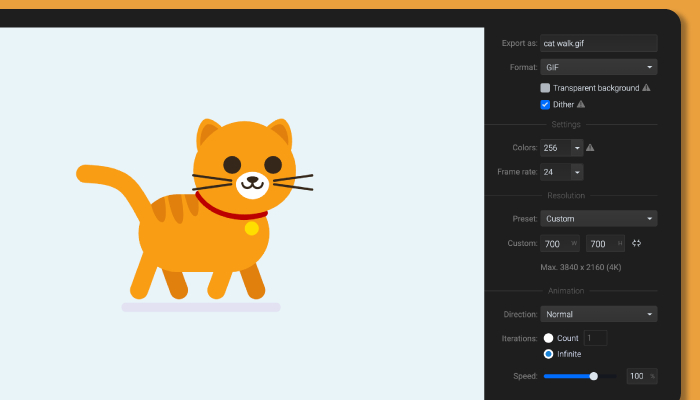
Can you turn a PNG into an SVG?
Yes, with vectorizing software such as Illustrator's Image Trace, Inkscape's Trace Bitmap or an online converter. Image tracing guesses shapes from pixels, so flat logos and icons come out clean while photos come out messy. Check the output: some converters wrap the PNG inside an SVG file without tracing it, which gives you none of SVG's benefits. For a logo, redrawing is often faster than cleaning up a trace.
Which programs open and edit SVG files?
Any modern browser opens an SVG file: drag it into Chrome, Safari, Firefox or Edge. An SVG that won't open in a design app will still show in a browser tab. To edit one, use Adobe Illustrator or the free Inkscape for vector drawing, Figma for UI and web graphics, SVGator to animate it, or any text editor to change the code. Canva downloads designs as SVG on its Pro, Teams and other upgraded plans, not on the free plan, and ChatGPT can write simple SVG code, although its image generator produces PNG or WebP files.
Whatever the tool, the rule holds: shapes belong in SVG, pixels belong in PNG.
Tutorial for creating an SVG