SVGator is the best After Effects alternative in 2026: a browser-based animation tool with a familiar keyframe timeline that exports native animated SVG, Lottie, video and GIF, with animated SVG export from $20/mo billed yearly. No single app replaces everything After Effects does, so the other nine picks are grouped by job into motion graphics (Cavalry, Apple Motion, Autograph), VFX and compositing (DaVinci Resolve, Natron), 3D (Blender), and web and UI (Lottielab, Jitter, Rive).
Table of contents
- What should you look for in an After Effects alternative?
- How does After Effects compare to its alternatives?
- 1. SVGator: the best After Effects alternative in 2026
- After Effects replacements for motion graphics, VFX, 3D and UI
- Are there free alternatives to After Effects?
- Is there a true 1:1 replacement for After Effects?
- What carries over when you switch from After Effects?
- Which After Effects alternative should you pick?
What should you look for in an After Effects alternative?
A good After Effects alternative exports the format you deliver and runs well on your computer. These six criteria decided the ranking, and every pick below gets checked against them:
- Output format: match the export to your deliverable: MP4 or MOV video, GIF, Lottie or SVG. After Effects exports none of SVG, Lottie or animated GIF natively, meaning that Lottie from After Effects needs the Bodymovin or LottieFiles plugin. Lottie is a JSON-based animation format that apps and sites play through a Lottie player library.
- Workflow type: layer-based tools stack elements on a timeline the way After Effects does. Node-based compositing wires effects together as connected boxes (nodes), and procedural animation generates motion from rules and parameters, so both take relearning.
- Learning time: SVGator's comparison page puts After Effects at weeks to months before a first usable result, and SVGator at hours.
- Free-tier limits: check watermarks, resolution caps, commercial-use rights and account requirements.
- Platform and hardware: confirm Mac, Windows, Linux or browser support. After Effects 26.3 requires 16 GB of RAM, and Adobe recommends 32 GB or more for 4K work, so a lighter or browser-based alternative matters most on older machines.
- Active development: a tool without updates leaves bugs and operating system changes unfixed.
Each pick was checked against its current pricing or release page in September 2026.
How does After Effects compare to its alternatives?
The table puts After Effects in the first row and every alternative reads against the tool you already know. Prices are as of September 2026.
The apps closest to After Effects in workflow feel are SVGator, Apple Motion and Autograph, which all work on a timeline. The closest in VFX depth is the Fusion page in DaVinci Resolve.
1. SVGator: the best After Effects alternative in 2026
Best for: web, UI and brand motion | Workflow: keyframe timeline | Output: animated SVG, Lottie, React Native, Flutter, video, GIF | Price: Free (static SVG); Starter $20/mo billed yearly; Pro $24/mo billed yearly | Platform: browser
SVGator ranks first because it replaces the part of After Effects that designers use every day, keyframed motion for sites, apps and brand assets, and ships it as a file the browser plays on its own. The timeline follows the habits you built in After Effects: keyframes, 31 easing presets and custom bezier curves. SVGator runs in a browser tab, so there's no install and no render queue.
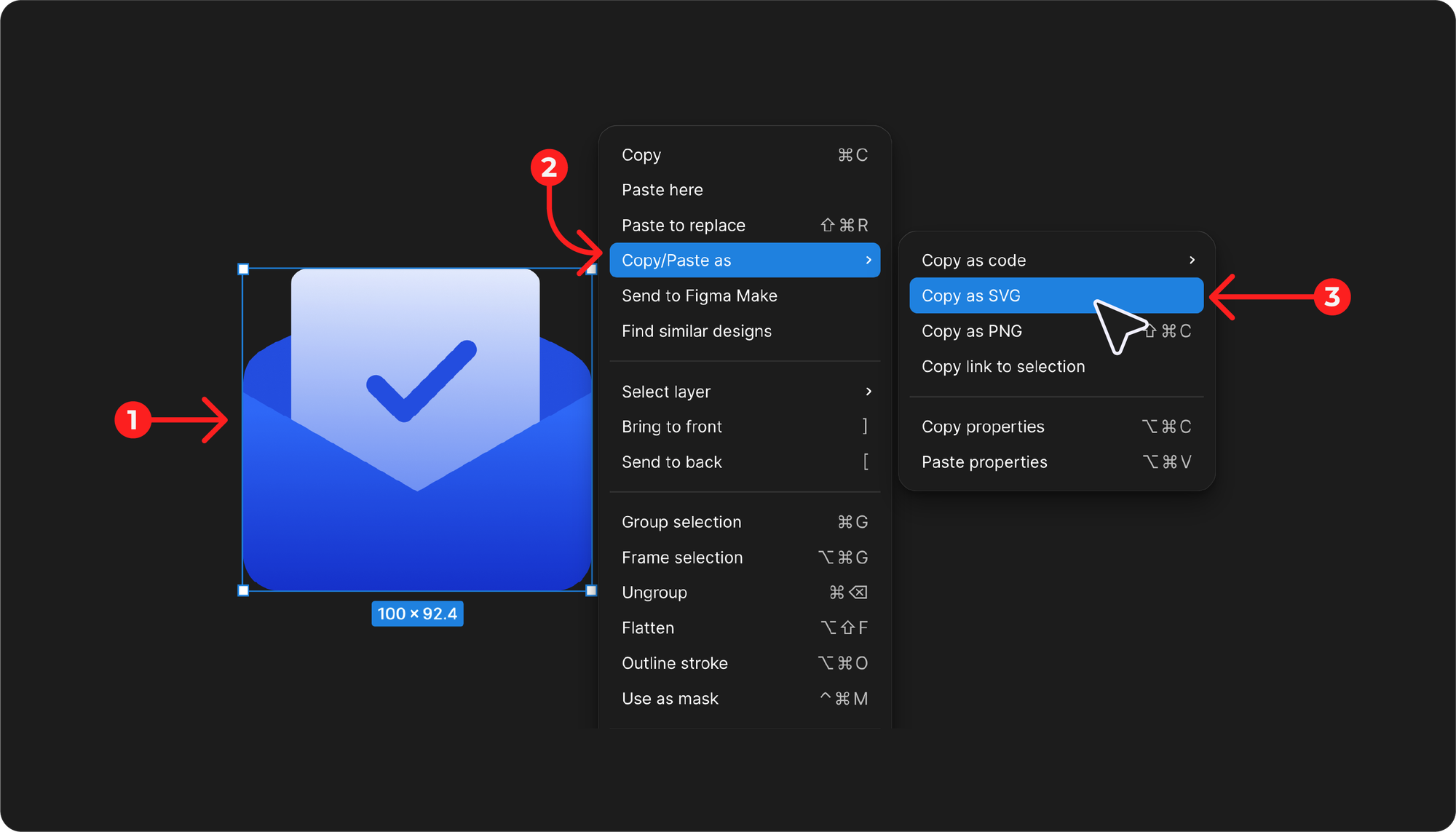
The export is one SVG file with no player attached, which keeps the animation lightweight on the page and easy to hand to a developer. Designs come in as Illustrator files or SVG, or through the SVGator Figma plugin, which animates Figma assets and pushes SVG, Lottie, React Native or Flutter back into Figma.
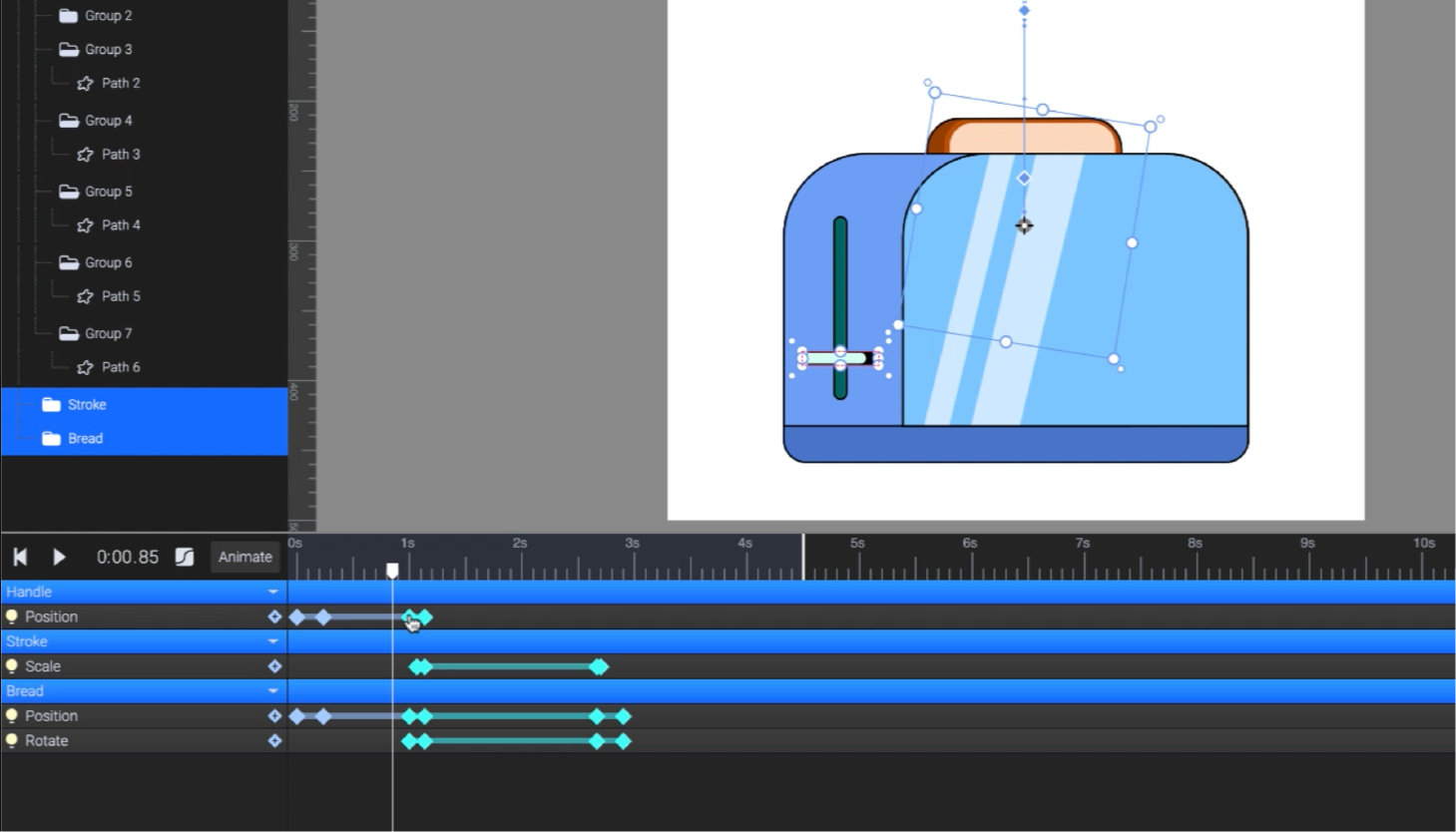
SVGator holds up on client work. A freelance designer replaced "the After Effects plus Media Encoder combo" with SVGator, and a UI/UX designer's story runs under the heading "Four-hour illustrations done in two." Both are SVGator case studies.
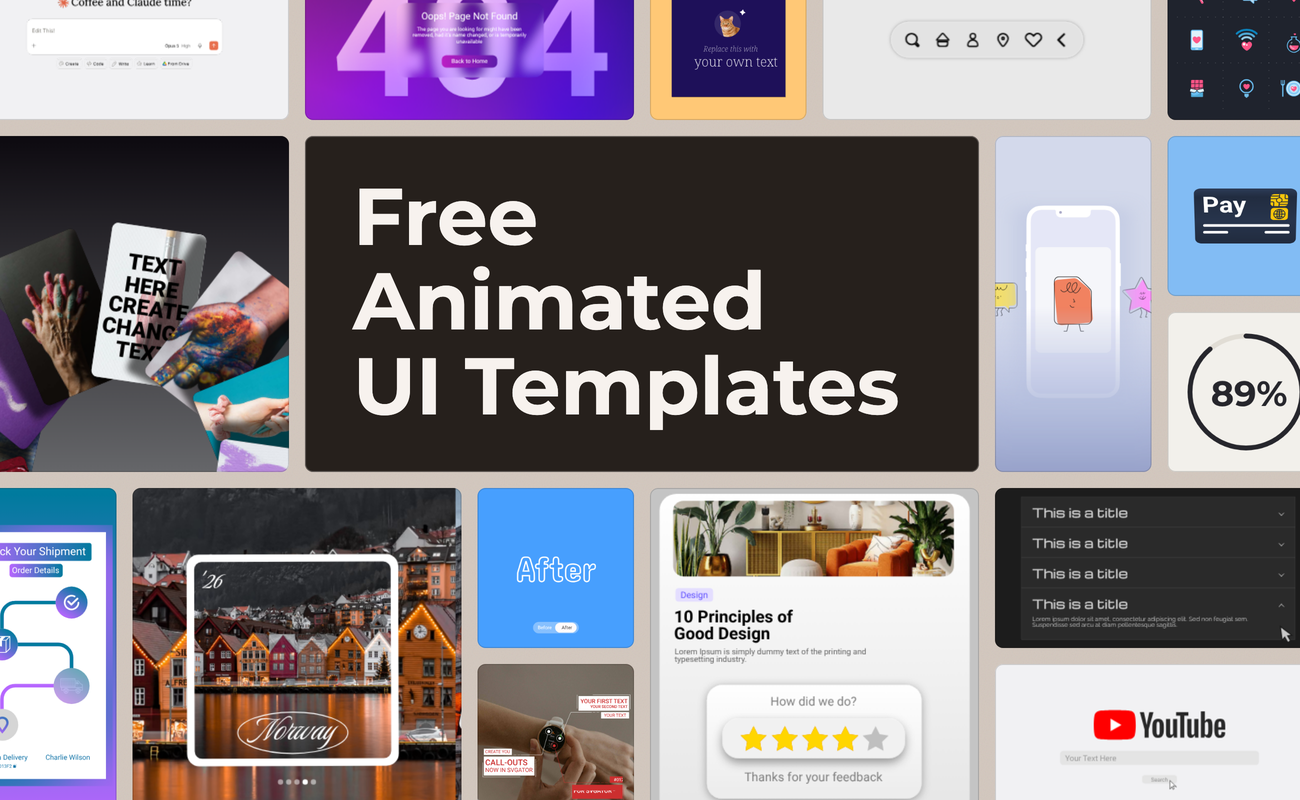
The Free plan includes the full editor and every animator with static SVG export, plus a template gallery you can use in commercial projects. Animated SVG, Lottie, React Native and Flutter export, interactivity and the Player API start on Starter at $20/mo billed yearly ($28 billed monthly). Pro adds video and GIF export, 4K, sharing and comments at $24/mo billed yearly ($38 monthly). Team costs $27 per seat per month billed yearly, for 3 to 10 seats, and includes:
- Invite to edit
- Shared workspace
- Extend up to 10 seats
- Unlimited team projects
- Centralized billing
- Guaranteed SLA
SVGator has no VFX compositing, keying or tracking, no 3D, and no procedural systems, so the groups below cover those jobs. For a feature-by-feature view, see SVGator vs After Effects.
Is SVGator a good After Effects alternative for web and UI animation?
Yes, SVGator exports web and UI animation as a single SVG file the browser plays natively, with no Lottie player or runtime library to load. A runtime dependency is extra code a page or app must load before the animation can play. After Effects has no native route to that file: for web output, After Effects users export Lottie through the Bodymovin or LottieFiles plugin, then load a Lottie player on the page. SVGator exports Lottie too, for projects that call for it.
Starter and above add interactivity, with hover, click and scroll-into-view triggers, plus the Player API for developers. SVGator writes the animation into the SVG file in one of two ways. The CSS type is lighter and plays inside a plain <img> tag, while the JS type supports every animator and interactivity and needs an <object> tag or inline SVG. Our guide to SVG and Lottie compares the two formats in more depth.
After Effects replacements for motion graphics, VFX, 3D and UI
SVGator (#1) is the After Effects replacement for everyday keyframed 2D motion graphics on websites, apps, UI and brand assets, exported as native animated SVG. The nine tools below replace the parts of After Effects that SVGator doesn't cover (procedural systems, VFX and compositing, 3D, app runtimes), grouped by the work you ship.
Motion graphics
SVGator already covers keyframed 2D motion graphics for the web. These three desktop apps handle procedural systems, Mac and Final Cut Pro work, and motion design with compositing, and two of them went free in 2026.
2. Cavalry
Use it for: procedural motion design | Price: free for individuals, commercial use included (free Canva account for v2.7+) | Platform: Windows 10+, macOS 12.0+ | Output: video, image sequences, SVG sequences, Lottie
Cavalry has been free for individual artists, including commercial projects, since April 2026, and versions 2.7 and later need a free Canva account. The same license cost £192 a year before Canva, which owns Cavalry, dropped the price. Procedural animation suits repeatable motion systems and data-driven graphics, where one set of rules drives a whole grid or chart of animated elements at once. Cavalry renders video, PNG and JPEG sequences, WebP and Lottie, and its SVG output comes as a sequence of frames, one SVG file per frame. Moving from After Effects to Cavalry takes relearning, since procedural setups replace the hand-placed keyframes you know.
3. Apple Motion
Use it for: Mac and Final Cut Pro work | Price: $49.99 one-time, or in Apple Creator Studio at $12.99/mo or $129/yr | Platform: macOS 15.6 or later, 8 GB of RAM (16 GB recommended) | Output: video, Final Cut Pro titles and effects
Apple Motion is the After Effects alternative for Mac users who edit in Final Cut Pro, because titles, transitions, generators and filters built in Motion publish straight into Final Cut Pro. Adobe sells After Effects only as a subscription. Motion sells as a one-time $49.99 purchase, or comes inside Apple Creator Studio, Apple's January 2026 collection of creative apps. Motion asks for 8 GB of memory (16 GB recommended), half of the After Effects minimum. It runs only on macOS, which is its main limit.
4. Autograph
Use it for: motion design plus compositing in one app | Price: free for individual artists and studios, "no limits or conditions" | Platform: Windows 10+, macOS 14.0+ | Output: video (ProRes, H.264, VP9, AV1), image sequences
Maxon builds Autograph on USD (Universal Scene Description), an open 3D scene format, and made it free for individual artists in April 2026 and for studios on May 7, 2026. Motion designers in Reddit threads name Autograph as the closest all-in-one match for After Effects, since it puts motion design and compositing in one app, yet none of the ranking listicles include it. Both free licenses carry, in Maxon's words, "no limits or conditions." Autograph dropped Linux, so it runs on Windows and macOS only.
VFX and compositing
Tracking, keying, rotoscoping and compositing are the jobs where After Effects is hardest to replace. Both picks in this group use node-based workflows.
5. DaVinci Resolve (Fusion page)
Use it for: VFX and compositing next to editing | Price: free version up to Ultra HD 3840 x 2160 at 60fps, Fusion page included; Studio $295 one-time | Platform: Mac, Windows, Linux | Output: video
DaVinci Resolve's free version includes the Fusion page for node-based compositing and exports up to Ultra HD at 60fps. The Studio version is a $295 one-time purchase. The Fusion page is the compositing and motion graphics workspace built into Resolve, so you can key, track and composite a shot without leaving the edit, and Blackmagic Design ships the current release as DaVinci Resolve 21 on Mac, Windows and Linux. DaVinci Resolve can replace After Effects for compositing and VFX inside an edit. For layer-based motion design, Fusion is a different kind of tool with a steeper learning curve, since every effect lives in a node graph. XDA Developers also calls Fusion "a bit demanding on hardware", so check your GPU before you switch.
6. Natron
Use it for: open-source node compositing | Price: free, GPL-2.0-or-later | Platform: Windows, macOS, Linux, FreeBSD | Output: image sequences, video
Natron is a free, open-source node compositor for keying, rotoscoping and multi-layer composites, and it runs on Linux and FreeBSD as well as Windows and macOS, the widest platform list of any pick here. The GPL-2.0-or-later license lets you use it on commercial work at no cost. Natron's last official stable release is 2.5.0, from November 26, 2022. Community forks exist, so check a fork's release notes before a client project depends on it.
Studios doing film compositing use Nuke from Foundry as their reference tool.
3D
7. Blender
Use it for: 3D and hybrid 2D/3D animation | Price: free, open source | Platform: Windows, macOS, Linux | Output: video, image sequences
Blender is the free, open-source After Effects alternative for 3D work, and its Grease Pencil tools animate 2D strokes inside a 3D scene. Blender is the only pick on this list with full 3D modeling, rendering and simulation. The current Blender 5.2.2 LTS release came out on September 15, 2026, with two years of long-term support updates, and on Mac it needs Apple silicon and macOS 13 Ventura or newer. Blender also has the steepest learning curve here, and rendering is heavy on hardware. For 2D web motion, Blender is more tool than you need.
Web and UI
For web and UI animation, SVGator (#1) exports native animated SVG, Lottielab and Jitter export Lottie, video and GIF from the browser, and Rive plays interactive files through its own runtime. None of those three exports animated SVG. The difference decides what the page loads: an animated SVG plays with no extra code, a Lottie file needs a player library, and a Rive file needs the Rive runtime.
8. Lottielab
Use it for: product teams shipping Lottie | Price: free tier with unlimited files | Platform: browser | Output: Lottie, GIF, MP4 (SVG import only)
Lottielab creates Lottie animation without After Effects. It imports and exports Lottie with no plugin, and teams share and review files in the browser, which suits product teams handing motion to developers. SVG comes in as an import only, so the output stays Lottie, GIF or MP4, and each Lottie file needs a player on the page. The free tier allows unlimited files.
9. Jitter
Use it for: social and marketing motion | Price: Free (720p at 30fps, watermark, 3 files); Pro $8/editor/mo billed yearly | Platform: browser | Output: video, GIF, Lottie
Jitter runs in the browser with Figma import, more than 100 motion design templates and team collaboration, which suits social posts and marketing videos. The Free plan exports at 720p and 30fps with a watermark and holds 3 files. Paid plans start with Pro at $8 per editor per month billed yearly, then Max at $24 and Ultra at $40, the two plans that export 4K video at 120fps. Jitter lists no SVG export.
10. Rive
Use it for: interactive app and game animation with state machines | Price: Free (3 files, no runtime exports); Cadet $17/seat/mo | Platform: browser editor | Output: .riv files for the Rive runtime
Rive builds interactive animation with state machines, which switch an animation between states when a user taps, hovers or changes a value in an app or game. Every Rive file needs the Rive runtime to play, and designers face a steeper learning curve in Rive than in the timeline tools above. The Free plan holds 3 files with no runtime exports, so shipping to an app starts on Cadet at $17 per seat per month, with Voyager at $39.
Are there free alternatives to After Effects?
Yes, and SVGator is the first one to try: its Free plan includes the full editor and every animator with static SVG export, and animated SVG export starts at $20/mo billed yearly, below the $22.99/mo After Effects single app. You can learn SVGator and build a complete animation on Free, and the template gallery is cleared for commercial use.
After Effects itself has no free version, only a 7-day free trial. After the trial, the single app costs US$22.99/mo on an annual plan billed monthly, and students pay US$19.99/mo in the first year. Adobe sells no permanent license. Unlicensed copies break Adobe's license terms, so the free tools below are the legal route:
- DaVinci Resolve: free up to Ultra HD at 60fps, with the Fusion page included.
- Blender and Natron: free and open source.
- Cavalry and Autograph: free for individual artists with commercial use included; Autograph is free for studios too.
- Jitter Free: 720p at 30fps, with a watermark.
- Lottielab: free tier with unlimited files.
- Rive Free: 3 files, with no runtime exports.
- Pikimov: free in the browser with no sign-up, keeps your files on your computer, outputs video up to 4K and reads After Effects expression syntax.
To own the software outright for less, Apple Motion costs $49.99 and DaVinci Resolve Studio costs $295, both as one-time purchases.
Is there a true 1:1 replacement for After Effects?
No. No After Effects alternative opens .aep project files, the After Effects project format, and none matches After Effects across VFX, motion graphics and plugins in one app. After Effects remains the industry standard, and switching away from it costs you:
- third-party plugins and scripts
- templates built for After Effects
- round trips with Premiere Pro and other Creative Cloud apps
- your existing project files
Two tools need care before you commit client work to them. HitFilm still shows up in ranking pages (Nexrender's roundup lists it with a monthly price), yet Artlist discontinued it on January 15, 2025, and it gets no updates. Natron's last official stable release dates from 2022, so its future depends on community forks. SVGator has its own limits too: no VFX, no 3D, and one editor at a time on shared Team projects.
Stay with After Effects if your work is heavy VFX and compositing, if your studio pipeline runs on After Effects plugins and templates, or if your clients expect .aep files at handoff. Those jobs are where After Effects earns its subscription.
What carries over when you switch from After Effects?
No other program opens .aep files, SVGator included, so you rebuild each animation from its source artwork. SVGator's comparison page says so directly: SVGator "does not open .aep project files." Your animation skills and vector files come with you.
What carries over:
- keyframe, easing and timing skills
- vector artwork from Illustrator or Figma
- SVG files, since After Effects imports SVG as native, editable shape layers and SVG works as a hand-off format in both directions
What stays behind:
- effects stacks and third-party plugins
- expressions, except in Pikimov, which reads After Effects expression syntax
How to rebuild an After Effects animation in SVGator
- Collect the source vector artwork: the Illustrator file, SVG exports, or Figma frames sent through the SVGator Figma plugin.
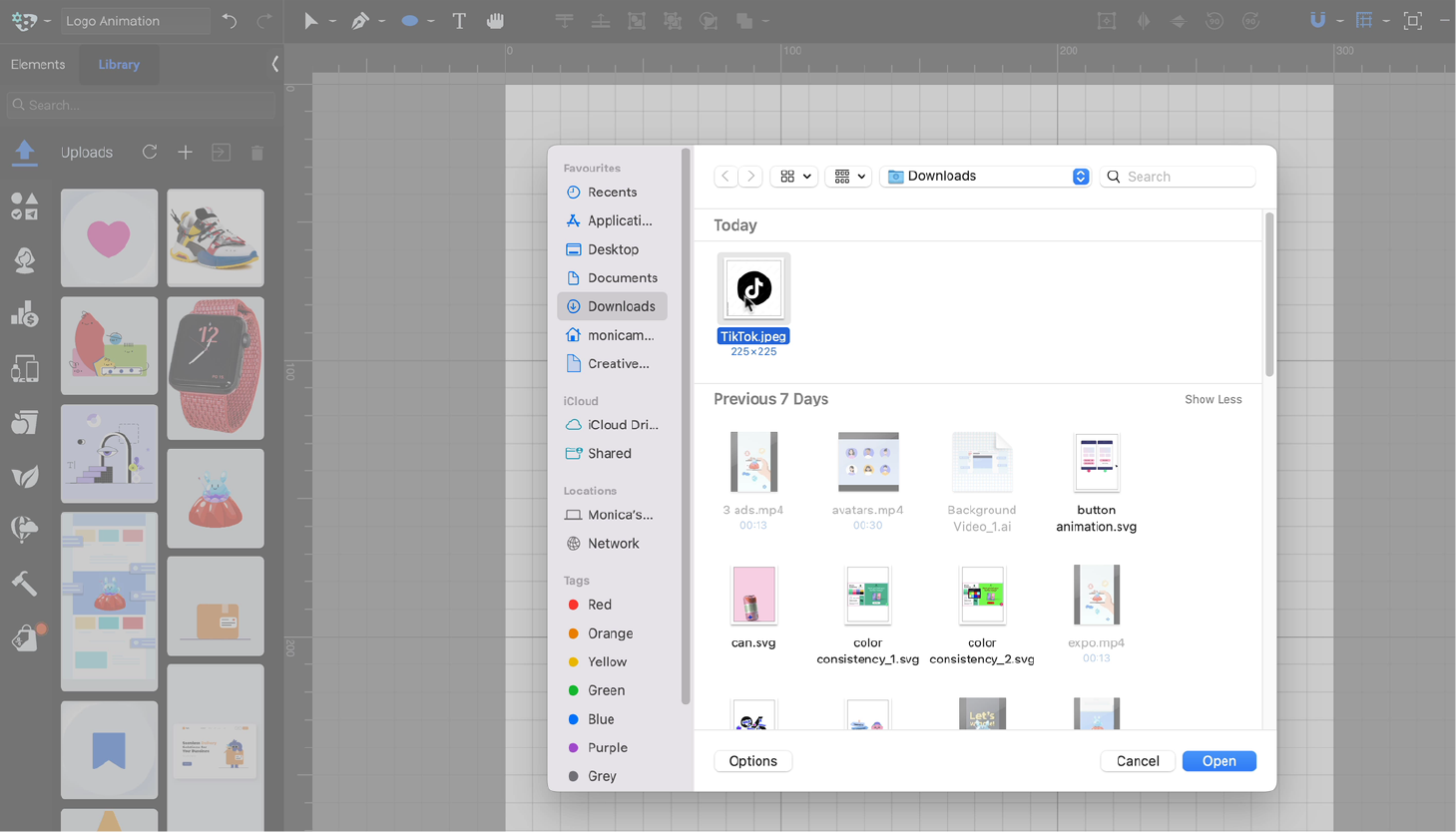
- Import the artwork into SVGator, where the elements keep their structure.
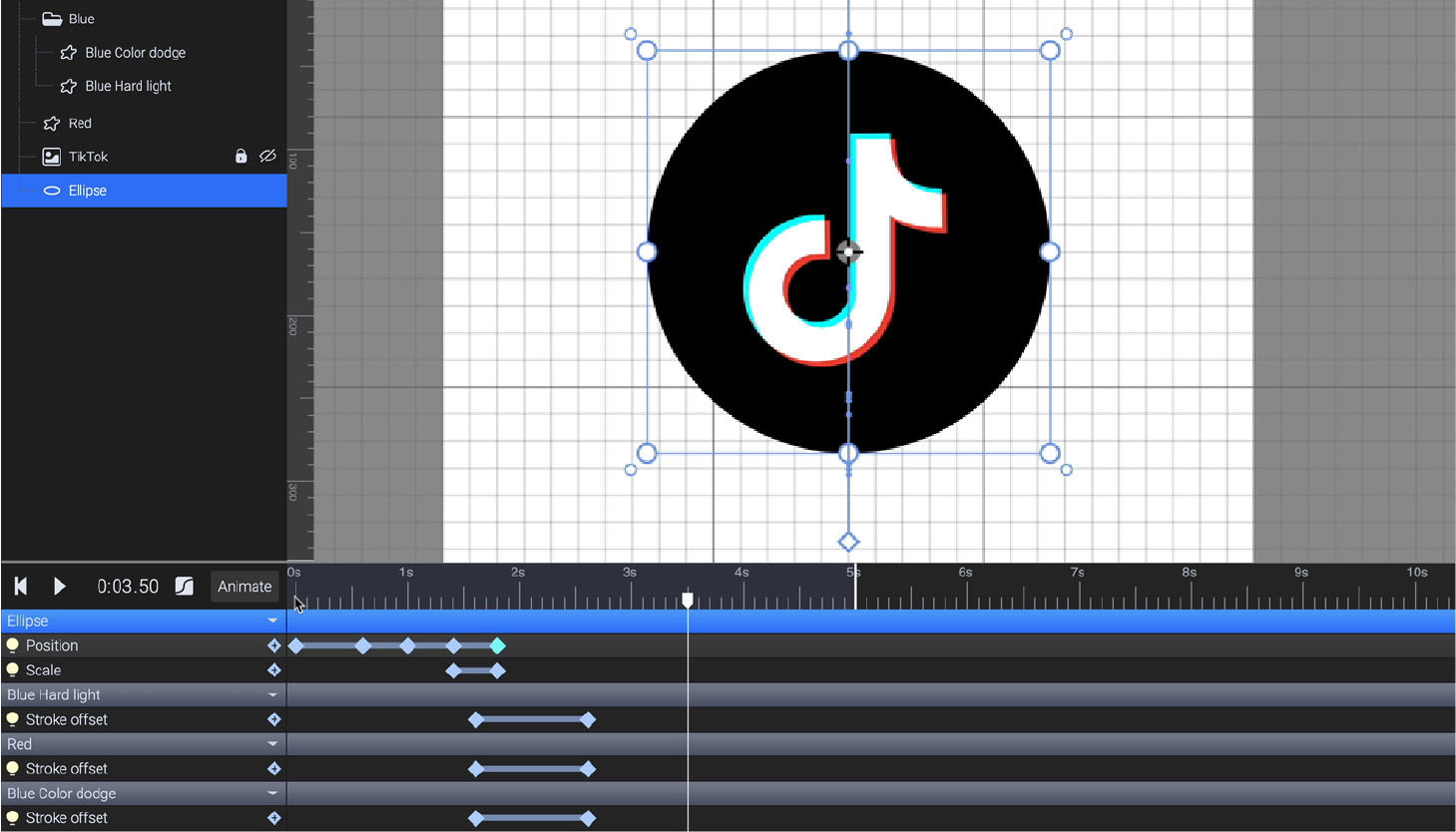
- Recreate the keyframes on the timeline and match the easing with one of the 31 presets or a custom bezier curve.
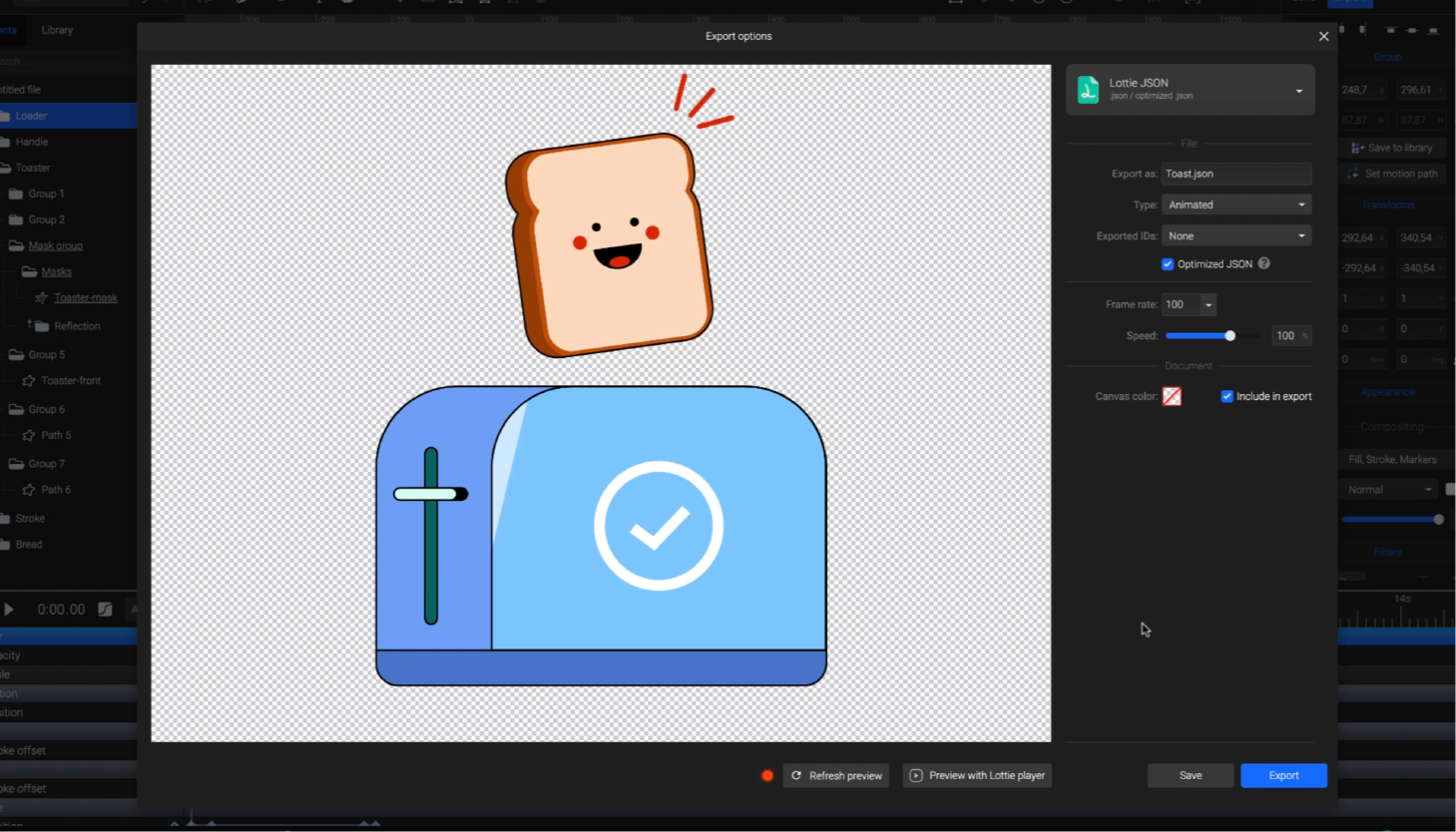
- Export animated SVG for the web or Lottie for apps on Starter, or video and GIF on Pro.
Keep the After Effects composition open next to SVGator while you rebuild, so you can match the timing keyframe by keyframe.
Which After Effects alternative should you pick?
Pick by the work you ship first, then check that the tool runs on your operating system.
Apple Motion is the Mac-only pick, while Cavalry and Autograph run on Windows and macOS. DaVinci Resolve, Natron and Blender add Linux support, and since Autograph dropped Linux, those three are the desktop options for a Linux studio. SVGator, Lottielab, Jitter and the Rive editor run in a browser on any operating system, so your machine matters less.
If you're new to animation, SVGator gives the shortest path to a first finished result. Blender and the node-based tools, Fusion and Natron, take the longest to learn.
Two jobs sit outside this list. For 2D character animation, Moho and Toon Boom Harmony are the dedicated tools. AI motion tools such as Runway, ChatCut and the SVGator MCP form a separate, newer category that builds animation from text prompts.
For web, UI and brand animation, start in SVGator on the Free plan and try every animator on your own artwork. Move to Starter when you're ready to export animated SVG.