Create a new project
You do not have to start from a blank canvas. Describe the animation you want and the assistant builds it as a new SVGator project, ready to open in the editor. You can also start from a template.
Generate an animation from a prompt
Say what you want in plain language, the way you would brief a designer. A bouncing ball with a soft shadow, a pastel loading spinner, a logo that draws itself in: that is enough to get a real project back.
The assistant builds the artwork and animates it, then saves the result as a project in your account and hands you a link that opens it in the SVGator editor.
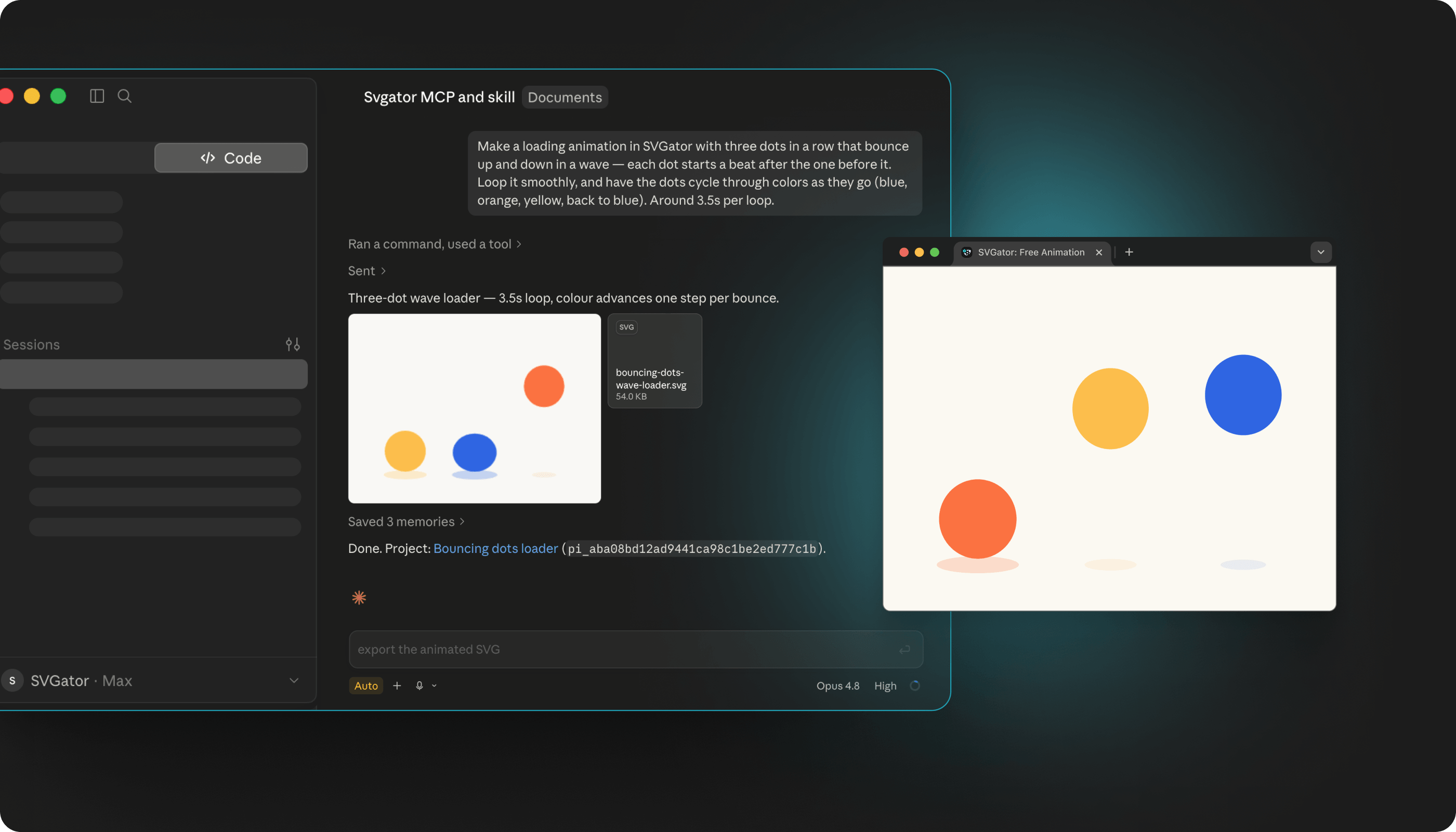
What comes back is not a rough sketch. The server ships motion-design guidance alongside the tools, so the assistant art-directs the piece, choosing pacing, timing, and personality rather than applying flat, mechanical movement.
When to generate and when to build by hand
Generating from a prompt suits the moments when speed matters more than precision: a first concept, a placeholder that has to look right today, a variation on something you already have, or one of the small pieces that appear in every project, like a loader or a success check.
Building in the editor still wins when the artwork itself is the point. Detailed illustration, exact brand shapes, and anything you already have as a design file belong in SVGator, where you can place every point yourself.
The two work well together. Generate the structure and the motion, then take it into the editor for the finishing pass.
Write a brief that gets what you want
The more specific the brief, the closer the first result lands. Size is worth stating, so is the mood you are after, and so is how the motion should behave.
A prompt like a pastel loading spinner, 200 by 200, with a smooth loop gives the assistant the dimensions, the palette, and the motion in one line. Compare that with make me a spinner, which leaves every one of those decisions open.
It helps to say where the animation will end up, too. A hero graphic on a landing page, an icon in a product interface, and a badge for a social post all call for different pacing and different amounts of movement.
Refine it from there
Treat the first version as a starting point. Once the project exists, you can keep going in the same conversation: ask for a different color, slower timing, a softer ease, or an extra element, and the assistant edits the project you just made.
When it is close enough, open the editor link and finish by hand. Everything the assistant built is a normal SVGator project, so nothing about it is locked or special.
Note: if you like the result, keep it as your master and ask for copies when you need variations. That way the original stays clean while you build versions from it.