SVG animations show up everywhere on the web: product loaders, animated logos, icon microinteractions, scroll-triggered illustrations, and hero text that actually holds attention. Looking through a wide range of animated SVG examples in one place is the fastest way to understand what the format can do and which techniques are worth using in your own work.

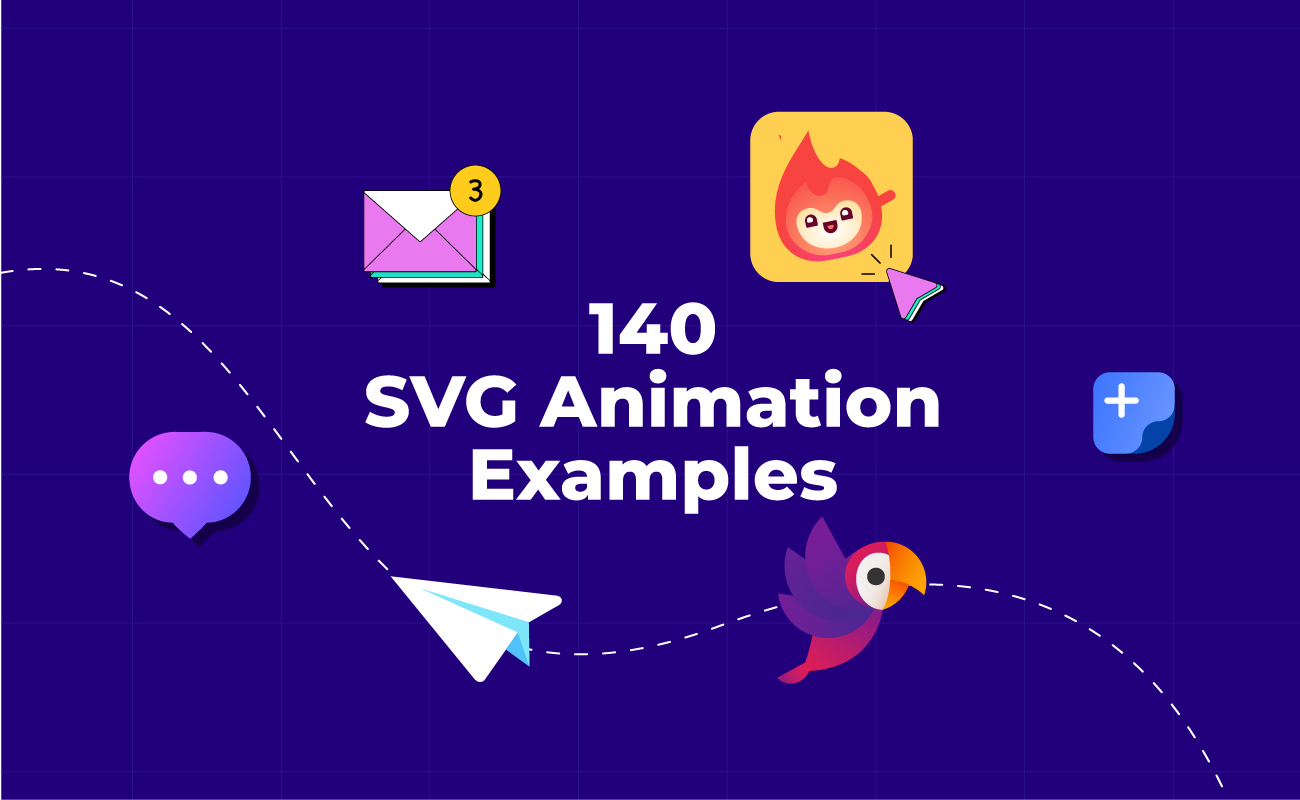
This list rounds up 140 SVG motion graphics across 16 categories, from simple animations to JavaScript-powered interactions and morph effects.

Table of contents

Key takeaways

Simple SVG animation examples

SVG CSS animations

JavaScript SVG animations

SVG logo animations

SVG loader animations

Animated SVG icons

Animated button examples

Animated toggle buttons

SVG line animations

Animated characters

Morph animation examples

Faux 3D SVG animations

SVG text animations

SVG product presentation examples

Data visualization animations

UI animation examples

How to create a simple SVG animation in SVGator

Final thoughts

Key takeaways

  • SVG animation fits both small confirmation cues, like a checkmark drawing itself or a toggle sliding on, and larger storytelling pieces, like scroll-triggered product explosions and faux 3D rotations built from stacked SVG layers.
  • The same SVG file scales from a 32-pixel animated icon to a full-width hero illustration without losing sharpness or adding weight 
  • CSS runs SVG animation natively with no runtime cost, but pause, reverse, replay on user input, and scroll-triggered timing all require JavaScript.

Simple SVG animation examples

Not every animated SVG needs a stacked timeline. A bouncing loader, a gentle rotation, or a single-property fade can carry a page on its own when the underlying illustration is strong. 

Simple animations also cover the parts of a page that other categories rarely do: floating shapes in a hero background, breathing illustrations on empty-state screens, micro-fades between tabs, and small scale-ins on images as they load.

Glowing graphic art - Made by SVGator

Coffee match cut animation - Pattern created by Antonia Marisescu & Animation by SVGator

Simple animated stopwatch
Stopwatch animation - Made by SVGator
Animated green astronaut helmet in space
Animated astronaut - Made by SVGator

Animated VR landing page with views for the Mobile-version and Web-version
Mobile and web animated landing page - Made by SVGator

Animated geometrical shapes included on a web page
Animated shapes on a web page - Made by SVGator
Order placed animation - Made by SVGator

SVG CSS animations

CSS is the fastest path to animated SVG on the web. It handles one-shot UI moments (navigation bars, loaders, toggles, checkbox states) with no runtime and no JavaScript. Browsers parse it natively, the file size stays small, and CSS keeps everything lightweight. 

CSS does have limits. It cannot pause, reverse, or restart based on user input, it cannot chain animations conditionally, and scroll-driven timing needs JavaScript. If the animation has to react to something on the page rather than just play on its own, JavaScript is the better fit.
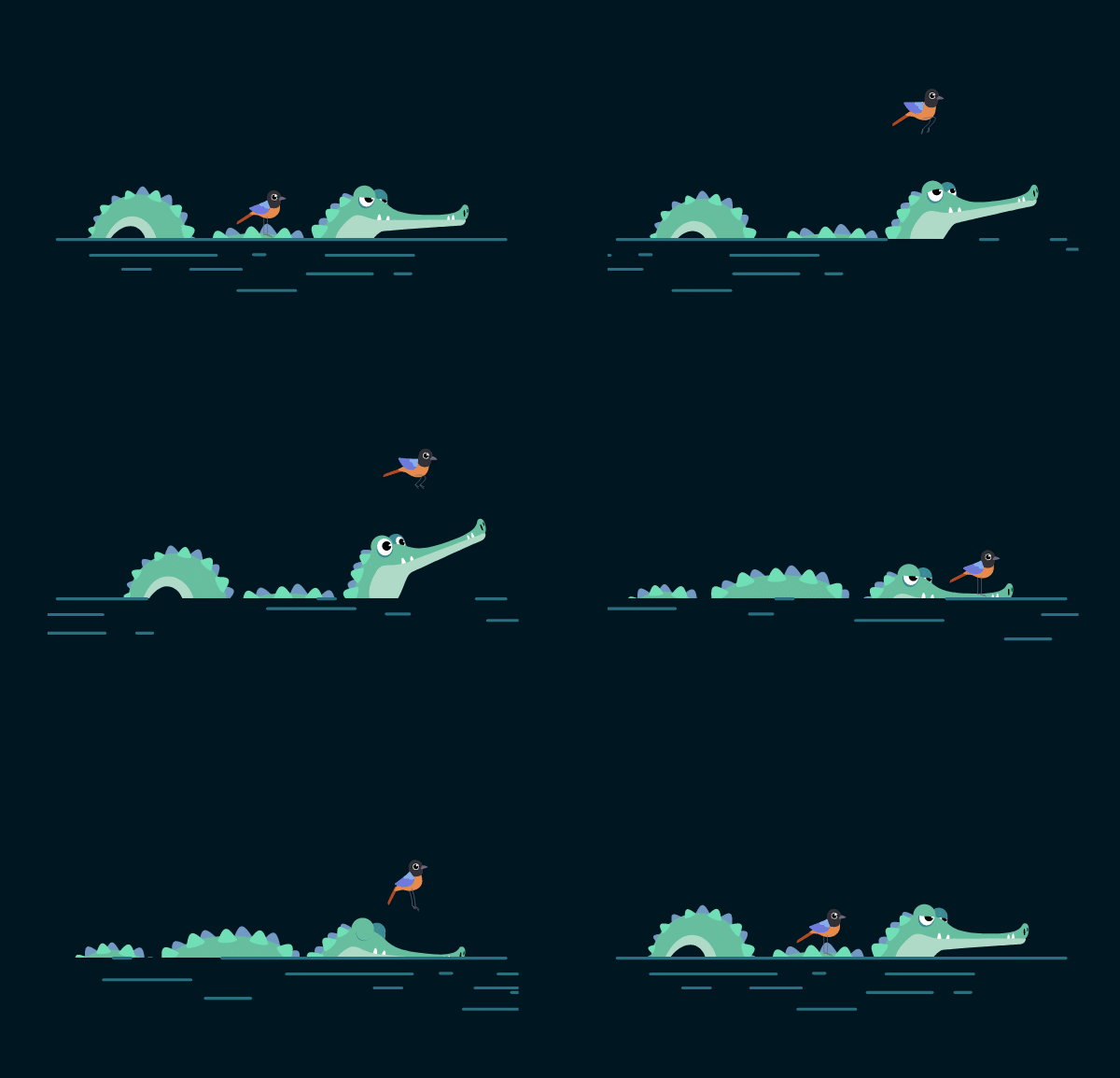
Animated handwriting text - Fine Cravings
Animated handwriting text - Made by SVGator

Animated winf blowing the grassd with a bee passing by
Wind blowing the grass - Made by SVGator

Animated mail that flies and arrives at the mailbox
Mail flying to the mailbox - Made by SVGator

Animated geometric shapes of different shapes and sizes
Animated background with geometric shapes - Made by SVGator

Impressive, huh? Give SVGator a try!

Create your own SVG animation using an easy & intuitive no-code animation tool.

Create your account

JavaScript SVG animations

When a project needs full control over playback, start, pause, reverse, replay on scroll, or chained sequences triggered by user events, JavaScript is the right option. 

The tradeoff is weight: JavaScript animations add a runtime dependency, increase file size compared to pure CSS, and require the browser to execute code rather than offload rendering to the compositor.

💡
In SVGator, you always have the choice to export either as CSS or it can also include Javascript, based on your needs.
Fitness app animations - Made by SVGator

Vector animation triggered by click - Made by SVGator

Animated background made with different geometric shapes
Animated geometric background - Made by SVGator

Animated cartoon girls skating
Cartoon girls skating - Made by SVGator

Animated cartoon pen & pencil friends
Cartoon-like pen & pencil - Made By SVGator

SVG logo animations

A logo that moves is a logo that sticks. The self-drawing line is the most common effect for monograms and logotypes, but color shifts, morphs, scale transitions, and full shape rebuilds all hold up well for brand identities. 

A balanced static logo becomes more memorable in motion, but the common logo design mistakes that hurt a static version only get more screen time once movement is added. The base design is worth fixing before the animation step.

Property.ai's animated logo - Made by SVGator

Luckypaint animated logo - Made by SVGator

LayerBase's SVG animated logo - Made by SVGator

Logo SVG motion graphics - Made by SVGator

Voltsuite animated logo - Made by SVGator

Musicat animated logo
Musicat logo - Made by SVGator

Animated Parrot Entertainment logo
Parrot Entertainment logo - Made by SVGator

Animated Hocus logo
Hocus logo - Made by SVGator

Animated Sniff logo
Sniff logo - Made by SVGator

Animated BeeKrafty logo
BeeKrafty logo - Made by SVGator

SVG loader animations

A good animated loader gives people something to watch instead of a blank screen and signals that something is still happening in the background.

Animated loaders earn their keep when they feel intentional. Keep the loop under three seconds so it does not read as stuck, match the motion to the brand instead of defaulting to a generic spinner, and pair the visual with a real progress indicator whenever loading times stretch past five seconds. Jerky keyframes and sudden color shifts read as glitches, so smooth easing matters more here than in most UI animation.

Animated round-shaped preloaders example
Round-shaped preloaders - Made by SVGator
3 animated simple preloader example
Simple preloader examples - Made by SVGator

Animated creative preloaders example
Creative preloaders - Made by SVGator

Moving shapes animation - Made by SVGator

Loading animation - Made by SVGator

Animated lego - Made by SVGator

Spooky eyes preloader - Made by SVGator

Anthropomorphic Characters preloader - Made by SVGator

Cat Spinner - Made by SVGator

Warming up preloader - Made by SVGator

Stroke-Path loaders examples - Made by SVGator

Moving Car loader - Made by SVGator

Yummy & creative preloaders - Made by SVGator

Fingerprint scan loader - Made by SVGator

Neumorphic spinner - Made by SVGator

Animated SVG icons

Animated SVG icons do a lot of quiet work. They confirm user actions, draw attention to fresh notifications, and add personality to otherwise flat UI.

A checkmark that draws itself, a heart that pulses once, a trash bin that tilts before deleting, all of these reinforce the action the icon stands for. Keep the animation under 500 milliseconds so the feedback feels tight, and trigger motion on user action rather than looping forever, since constant motion competes with the content around it.

Icons animation - Made by SVGator

90s retro animated icons - Made by SVGator

Healthcare animated icons - Made by SVGator

Social Media icons - Made by SVGator

File Types Animated Icons - Made by SVGator

Cloud Computing Icons - Made by SVGator

Animated Notion-style Icons - Animated by SVGator

How to animate icons examples - Made by SVGator

Animated icons set with gradients
Animated icons with gradients - Made by SVGator

Animated e-commerce icons set
E-commerce animated icons set - Made by SVGator

Animated sales icons set
Sales animated icons - Made by SVGator

3 simple animated icons
Simple animated icons - Made by SVGator

Animated button examples

Buttons are the biggest CTAs on the page, which makes them the best place to invest a little motion design. A ripple on click, a color shift on hover, a subtle scale on focus, or a shape morph when the button hits a disabled state: each effect confirms the action and can nudge click-through in the right direction.

Animated cats-themed button
Cat-themed animated buttons - Made by SVGator

Neumorphic animation effect - Made by SVGator

Animated mobile app buttons - Made by SVGator

Animated toggle buttons

Toggle switches carry more weight than their size suggests. A smooth transition from off to on confirms the action, signals the current state, and adds character to a setting that would otherwise be plain.

Animated toggle switch - Made by SVGator

Animated smiley-face toggle button
Smiley-face toggle button - Made by SVGator

Animated neumorphic toggle buttons
Neumorphic toggle buttons - Made by SVGator
3 simple animated toggle buttons
Simple animated toggle buttons - Made by SVGator

SVG line animations

Handwriting, self-drawing, and self-erasing effects are some of the best ways to animate text and line-based illustrations. Path animation might look complex at first glance, but it comes down to tweaking offset and dash properties over time. Dotted and dashed line variations follow the same logic. Most of the effort happens when drawing the path itself, not when animating the movement along it.

Gaming console animation - Made by SVGator

Map motion design - Made by SVGator

SVG along path motion design - Made by SVGator

Infinity path animation - Made by SVGator

SVG animation along a path - Made by SVGator

Car race animation with motion path - Made by SVGator

Motion-path graphic design animation - Made by SVGator

"The Cookies" line text animation example
"The Cookies" animated text - Made by SVGator

Animated biker made using line animation
Animated biker - Made by SVGator

Continuos line animation of a city
City-like line animation - Made by SVGator
Motion along path - Made by SVGator

Animated characters

Character animation is one of those things that looks impossible until you actually do it. A cartoon mascot that reacts to hover feels interactive, a walking character gives a loading screen something to watch, and a face that nods during onboarding confirms the user is on the right track.

Hover effects example - Made by SVGator

Dessert motion graphics - Made by SVGator

Quirky character illustration - Made by SVGator

Animated game characters - Made by SVGator

Cartoon drawing - Made by SVGator

Animated characters - Made by SVGator

Radiant animated graphics - Made by SVGator

Animated cartoon-like woman holding a key
Woman character holding a key - Made by SVGator

Animated blue cartoon-like cactus
Dancing blue cactus (hover over him to make him dance!) - Made by SVGator

Animated cartoon boy spinning a basketball
Boy spinning a basketball - Made by SVGator

Robot animated illustration - Made by SVGator

Animated cartoon man walking his dog
Man walking his dog - Made by SVGator

Morph animation examples

Morph animations blend one shape smoothly into another. They work well for logos, illustrated loops, and playful state transitions where one element has to become another. The technique comes down to matching node counts and adjusting point positions over time, with the SVG renderer handling the rest.

Morphing animation works best between shapes that share some structural logic: circle to square, leaf to flower, one letter to another. When the two shapes are too different, the intermediate frames turn into visual noise and the effect breaks down. Matching paths with a similar number of anchor points is usually the difference between a clean morph and a blurry in-between.

Morphing animation effect - Made by SVGator

App UI animation - Made by SVGator

Fire morphing animation - Made by SVGator

Animated flying origami bird
Flying origami bird - Made by SVGator

Animated swimming jellyfish
Swimming jellyfish - Made by SVGator

Hand changing the shapes of the animation
Hand changing shapes - Made by SVGator

Faux 3D SVG animations

SVG is a 2D format, but that does not stop it from looking three-dimensional. The most convincing faux 3D effects rely on stacking multiple SVG layers and animating them at slightly different speeds. A front layer that moves faster than a back layer instantly reads as depth. Pair that with a directional shadow that updates as the object rotates, and the flat vector starts feeling solid.

Isometric illustrations are another strong candidate: their built-in perspective already suggests three dimensions, so even a small rotation or float makes the scene feel alive.

Soda can 3D faux animation - Made by SVGator

Diamond 3D motion design - Made by SVGator

Fake 3D box animation - Made by SVGator

Fake 3D motion graphics - Made by SVGator

Animated background with geometric shapes - Made by SVGator

Fake 3D card flip effect - Made by SVGator

Faux 3D animation effect - Made by SVGator
Faux 3D animation effect - Made by SVGator | Illustration by Ivan Mesaros

SVG text animations

A stylized SVG text animation does more than decorate. It anchors the message, sets the mood, and usually outperforms a static headline at holding attention. 

Most SVG text animations come down to three core approaches: animate the stroke to create a self-drawing effect, animate the fill for color reveals, or convert the type to paths so each letter can animate on its own timeline. The approach you pick depends on how much control you need over individual characters and how the final effect should feel.

Kinetic typography - Made by SVGator

Neon accents animation - Made by SVGator

Let's move - Made by Holke79

Animated typography - Made by SVGator

Animated hero section of a website
Animated hero section - Made by SVGator
Animated signature - Made by SVGator

Animated sales-themed messages
Animated sales-themed stickers - Made by SVGator

Dark radiant animated graphics - Made by SVGator

Fake 3D kinetic typography - Made by SVGator

Cyber Monday animation - Made by SVGator

SVG product presentation examples

Product presentations perform better when the item actually moves. Animated SVG can rotate a device, explode a diagram into labeled parts, highlight features one by one on scroll, or walk a visitor through a before-and-after comparison. Because SVG renders as code rather than a raster image, these presentations stay sharp at any screen size without bloating the page.

Mixed media animation example - Made by SVGator

Animated product presentation - Made by SVGator

Mobile product animation - Made by SVGator

Product animation - Made by SVGator

Technical schematics animation - Made by GyGinfographics

Ecommerce product animation - Made by SVGator

Data visualization animations

Animated data visualizations turn static numbers into something people actually read. Bar charts that grow on scroll, donut charts that fill as percentages count up, line graphs that draw themselves from left to right, and dashboards where each widget enters in sequence all make data easier to absorb. 

Keep data animation purposeful. A bar that grows from zero helps the viewer compare heights; a pie slice that fans open draws the eye to the largest segment. But gratuitous motion (bouncing grid lines, spinning labels, pulsing axes) pulls attention away from the numbers and makes the chart harder to read. The best animated charts finish their entrance within two seconds and then sit still, letting the data do the talking.

Pie chart of export types distribution Aug 2025 (SVGator)

Growth of export types chart (SVGator Data, Jun 2024 - Aug 2025)

Data visualization - Made by SVGator

Export Format Preferences by User Type - Made by SVGator

Types of projects made by designers in SVGartor

Animation completion time in SVGator

Types of projects made by developers in SVGartor

Time Investment per Animation Type in SVGator

Growth of export types (SVGator Data, Jun 2024 - Aug 2025)

Neumorphic charts animation - Made by SVGator

Data visualization - Made by SVGator

UI animation examples

A full interface has dozens of surfaces that benefit from motion. Page transitions that slide content in and out, tab switches with crossfade effects, accordion sections that expand smoothly, tooltip entrances, notification badges that scale in, skeleton screens that pulse while real content loads, and scroll-progress indicators that fill a thin bar across the top of the viewport are all small touches that make a UI feel responsive and polished.

Background web animation - Made by SVGator

Learning app animation - Made by SVGator

UI/UX storytelling animation - Made by SVGator

Microinteraction web animation - Made by SVGator

Error page animation for desktop - Made by SVGator

UI design in a mobile device mock-up - Made by SVGator

Login UI animation for mobile apps - Made by SVGator

Animated background with patterns changing shapes - Made by SVGator

Onboarding tour for a mobile travel app - Made by SVGator

App character animation - Made by SVGator

Mobile UI/UX animated onboarding example - Made by SVGator

How to create a simple SVG animation in SVGator

Creating a simple SVG animation in SVGator takes five steps.

  1. Draw The Shape: Use the Rectangle tool to draw a rounded rectangle for the bubble, then add a smaller square rotated 45 degrees to form the tail. Select both shapes and group them into a single layer called "message bubble".
  2. Add Animators: Select the group, open the animator list, and add a Scale animator followed by a Rotate animator. Each one creates its own track on the timeline.
  3. Animate The Scale: Set the scale to 0 at the start of the timeline, move the playhead to around 1 second, and raise the scale to 1.1, then bring it back to 1 at 1.5 seconds. This produces the bounce on entry.
  4. Animate The Rotation: Start the rotation at -10 degrees, move the playhead to 1 second, and set it to +5 degrees, then return it to 0 at 1.5 seconds. This adds a subtle wiggle that pairs with the bounce.
  5. Preview And Adjust: Hit play to see both animators running together, then fine-tune individual keyframes to smooth the timing or change the feel of the motion.

Final thoughts

Learning to animate SVG starts with picking the one effect that caught your eye and trying to recreate it. All of the animations in this list can be built in SVGator, which is the quickest path from a static vector file to a working animated SVG without writing code.
Vector drawing animation - Made by SVGator