The easiest way to animate SVG
With SVGator you can create and deliver production-ready animation files for web projects and more. Perfect for product teams, agencies, and designers who ship daily.
Trusted by teams at


Animated SVG.
The web standard for performance.
Animate without writing code. Get your production-ready SVG file in seconds. Working in the Lottie ecosystem? We’ve got you covered.
One tool. Endless use cases.
See how other professionals are using SVGator to ship motion that works.
Why choose SVGator
Turn your designs into web animations in minutes. No complexity, no code, just the right animation maker tool that gets you from idea to export fast.
Powerful SVG editor
and intuitive interface
User-friendly interface
Work with familiar creation tools and an easy-to-use timeline.
Advanced animators
Create custom motion paths, morphing animations, gradient transitions & more.
Easing presets
Choose from SVGator’s easing function presets or customize your own.
Copy & paste SVG assets
Works between SVGator projects, browser tabs and other vector based software.
How SVGator works
- 1. Import or create
Import static SVG or Lottie animations or create vector graphics from scratch
- 2. Edit and animate
Edit and animate everything in SVGator’s intuitive interface
- 3. Export
Export production-ready files as SVG animations and more
- 4. Share
Allow others to view or edit your animation projects
What professionals say about SVGator
Hear from designers, developers, and agencies on how SVGator changed their workflow.
Read more testimonials


SVG integrations that fit into your existing workflow
Animate in SVGator, then drop your files straight into the tools you already use.

Turn static designs into animated SVGs, right in Figma.
Learn more.

Add animated SVGs to any WordPress page.
Learn more.


SVG projects that move with your team
Work on projects, share easily for client feedback, and keep your team aligned from concept to delivery.
- Edit access for team members
Skip the back-and-forth. Choose exactly who can edit which projects.
- Shared folders within teams
No more lost files. Share folders with your team or other teams you work with.
- Instant previews, no source files needed
Let others view your projects, or get client approvals, via public links.
- Commenting with timestamps
Faster feedback, pinned to the exact keyframe you're talking about.
Simple tools. Professional results
Advanced animation capabilities without the learning curve. From basic transforms to masks and morphing, use what your project needs.
Mask animations
Create and animate masks for both static and animated objects and images.
Morphing
Animate shape transitions using the node tool and the morph animator.
Motion paths
Use a custom path as a trajectory for an object or a group to animate along it.
Stroke animations
Animate the stroke style and stroke properties such as offset and dashes.
Color animations
Animate gradients and color transitions for stroke, fills, and text elements.
Hold keyframes
Create hold keyframes for any animation using the Step end easing function.
Interactive SVG animation presets or full programmatic control
Export ready-to-use interactive motion graphics in seconds
On mouse hover
Set the animation to start on mouse over and select how it behaves on mouse out.
Multiple triggers
Use SVGator’s Player API to programmatically control multiple interactive behaviours.
Case studies & success stories
See how other professionals are making an impact using SVGator
For most UI or SVG pieces, SVGator makes the work roughly 70 to 80 percent faster overall. Clients notice the faster turnaround and more polished motion, so approval usually comes sooner with fewer revisions.

Front-End Developer
We now use SVGator to animate icons, explain features, and create hero section visuals. We save roughly 15-20 hours of design per month on internal assets. It frees up our creative team to focus on higher-impact campaigns.

CEO
I upgraded my SVGator plan to PRO! The support and thoroughness (diving into one of my own personal Wordpress sites to help solve a problem for me) really impressed and convinced me to switch to a yearly plan and stick with it. Keep up the amazing support! I have fallen in love with SVGator.

Principal Artist at LiveSwitch
Video tutorials for all skill levels
Learn from step-by-step videos that cover everything from basic animation concepts to complex motion design techniques.
Go to tutorials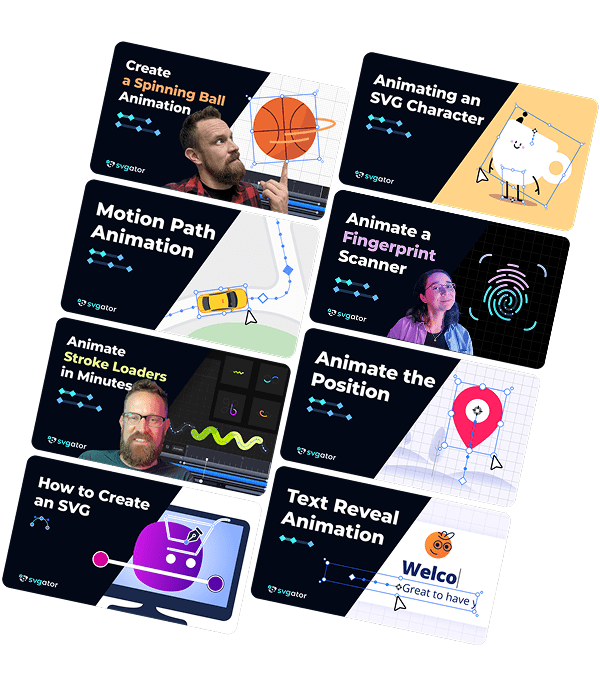
Choose the right plan for you
Start for free and upgrade later based on your needs
Free
Starter
Pro
Team
What will you animate today?
Create unlimited animated characters, logos, icons, loaders, backgrounds, and more.
Start animating for free